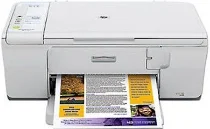
HP Deskjet F4288 Driver Download
- 6 drivers
- Supports Windows 10
- Windows · macOS · Linux
- ✓ Safe & free
In the fast-paced computerized world, a printer is a fundamental necessity. Technology has made our lives more convenient and efficient. However, with the rapid advancements in technology and innovation, it can be daunting for a non-professional to choose the best printer that suits their needs. To simplify this task, we are conducting a review of the HP DeskJet F4288, highlighting its pros and cons. The HP Deskjet F4288 is compatible with Basic Driver for Windows XP and Vista, and has a size of 36.62 MB. One advantage of the HP DeskJet F4288 is its affordability. It is a reasonably priced printer that offers users the basic functions of printing, scanning, and copying. Additionally, it has a compact design that makes it easy to fit in small spaces. On the other hand, the HP DeskJet F4288 has some limitations. Its printing speed is relatively slow compared to other printers in its category. The print quality is also not the best, and it may not be suitable for high-volume printing. In conclusion, the HP DeskJet F4288 is an affordable printer that offers basic features. It may not be the best option for high-volume printing, but it is suitable for personal use or small businesses with low printing needs.
HP Deskjet F4288 Driver Downloads
| Driver | Operating System | Version | Size | Download |
|---|---|---|---|---|
| Full Feature Drivers Recommended | Windows 10Windows 8.1Windows 8 | — | 179.5 MB | Download |
| Full Feature Drivers | Windows 7 | — | 204.5 MB | Download |
| Full Feature Drivers | Windows VistaWindows XP | — | 133.9 MB | Download |
| Basic | Windows VistaWindows XP | — | 36.6 MB | Download |
| Full Feature Drivers | macOS | — | 135 MB | Download |
| Full Feature Drivers | macOS | — | 167.5 MB | Download |
How to Install the HP Deskjet F4288 Driver
- Click the recommended driver package above and save the file to your PC.
- Open the downloaded file and follow the on-screen HP installer.
- Connect the Deskjet F4288 by USB or network when prompted.
- Finish and print a test page to confirm the driver works.