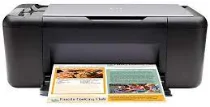
HP Deskjet F4435 Driver Download
- 4 drivers
- Supports Windows 10
- Windows · macOS · Linux
- ✓ Safe & free
The HP Deskjet F4435 is a remarkable printer belonging to the HP Deskjet F4400 series that boasts an array of impressive features. Alongside the F4435, other models in the series include the F4440, F4450, F4470, F4472, F4480, F4483, F4488, F4492, F4580, and F4583. Additionally, the series includes the HP Officejet 4400 all-in-one printer. This printer offers several connectivity options, including wireless 802.11 network support with a WPS-enabled device. Furthermore, the printer can utilize wireless networking support through a network interface card (NIC).HP Deskjet F4435 All-in-One cartridges are essential components when it comes to printing documents and images with your HP Deskjet F4435 printer. These cartridges are specifically designed to work with the printer and provide high-quality prints that are sharp, clear, and vibrant. The HP Deskjet F4435 All-in-One cartridges come in two types: black and color. The black cartridge is used for printing text documents while the color cartridge is used for printing images and graphics. Both cartridges use inkjet technology to create the prints. It is important to note that not all cartridges are created equal. The HP Deskjet F4435 All-in-One cartridges are manufactured to meet strict quality standards to ensure that they provide consistent and reliable performance. This means that you can expect to get the same high-quality prints from your printer each time you use it. When it comes time to replace your cartridges, it is important to use genuine HP cartridges. Using non-HP cartridges can lead to poor print quality, damage to your printer, and even void your warranty. To ensure that you are getting the best possible performance from your HP Deskjet F4435 printer, always use genuine HP cartridges. In conclusion, the HP Deskjet F4435 All-in-One cartridges are an essential component for your printer. They provide high-quality prints that are consistent and reliable. When it comes time to replace your cartridges, be sure to choose genuine HP cartridges to ensure that you are getting the best possible performance from your printer.HP60 Black Ink Cartridge (~200 pages), HP 60 Tri-color Ink Cartridge Cartridge (~165 pages).
HP Deskjet F4435 Driver Downloads
| Driver | Operating System | Version | Size | Download |
|---|---|---|---|---|
| Full Feature Drivers Recommended | Windows 10Windows 8.1Windows 8 | — | 136.8 MB | Download |
| Full Feature Drivers | Windows 7Windows VistaWindows XP | — | 137.4 MB | Download |
| Basic | Windows 7Windows VistaWindows XP | — | 37.8 MB | Download |
| Full Feature Drivers | macOS | — | 159.6 MB | Download |
How to Install the HP Deskjet F4435 Driver
- Click the recommended driver package above and save the file to your PC.
- Open the downloaded file and follow the on-screen HP installer.
- Connect the Deskjet F4435 by USB or network when prompted.
- Finish and print a test page to confirm the driver works.