HP Deskjet F4440 Driver Download
- 4 drivers
- Supports Windows 10
- Windows · macOS · Linux
- ✓ Safe & free
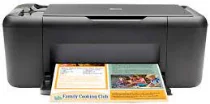
The HP Deskjet 4400 all-in-one printer, identified by the product number CB747A, stands out from other models due to its unique features. This sleek device boasts an attractive appearance that suits personal and professional settings alike. As a representative of its series, it offers several other impressive attributes as well. One of the key features of the HP Deskjet 4400 all-in-one series is its connectivity options. The printer comes equipped with a hi-speed USB 2.0 port, a common feature among its counterparts. This makes it easy to connect to a variety of devices and print documents and images quickly and efficiently. Whether you're using it for personal or professional purposes, the HP Deskjet 4400 all-in-one printer is a reliable and stylish choice. Its distinctive product number and sleek design make it stand out from the crowd, while its connectivity options ensure that it's easy to use and integrate into your workflow.HP Deskjet F4440 All-in-One cartridges are the perfect solution for your printing needs. These versatile cartridges are designed to deliver exceptional performance and reliability, ensuring that your documents come out looking crisp, clear, and professional every time. With their advanced technology and innovative design, these cartridges are able to provide superior print quality and precision, allowing you to produce eye-catching graphics and sharp, readable text. Whether you're printing reports, presentations, or photos, these cartridges are sure to meet your needs and exceed your expectations. In addition to their outstanding performance, these cartridges are also incredibly easy to install and use. Simply pop them into your printer and you're ready to go! And with their high-yield capacity, you can print more pages without having to constantly replace your cartridges. So if you're looking for reliable and high-quality cartridges that will help you achieve your printing goals, look no further than HP Deskjet F4440 All-in-One cartridges. Trust us, your printer (and your documents) will thank you!HP60 Black Ink Cartridge (~200 pages), HP 60 Tri-color Ink Cartridge Cartridge (~165 pages).
HP Deskjet F4440 Driver Downloads
| Driver | Operating System | Version | Size | Download |
|---|---|---|---|---|
| Full Feature Drivers Recommended | Windows 10Windows 8.1Windows 8 | — | 136.8 MB | Download |
| Full Feature Drivers | Windows 7Windows VistaWindows XP | — | 137.4 MB | Download |
| Basic | Windows 7Windows VistaWindows XP | — | 37.8 MB | Download |
| Full Feature Drivers | macOS | — | 159.6 MB | Download |
How to Install the HP Deskjet F4440 Driver
- Click the recommended driver package above and save the file to your PC.
- Open the downloaded file and follow the on-screen HP installer.
- Connect the Deskjet F4440 by USB or network when prompted.
- Finish and print a test page to confirm the driver works.