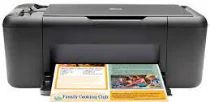
HP Deskjet F4480 Driver Download
- 4 drivers
- Supports Windows 10
- Windows · macOS · Linux
- ✓ Safe & free
Printing with this device offers exceptional features that users will definitely enjoy. The printer's portability allows for convenient use in both personal and commercial settings. Additionally, it supports wireless network connectivity through the 802.11 network access and is compatible with WPS-enabled routers or access points. The printer's network interface card makes it easy to configure and connect to the network. With all these capabilities, this device is a top choice for those seeking high-quality printing solutions.HP Deskjet F4480 All-in-One cartridges are essential components for your printer. These cartridges contain specially formulated ink that can produce high-quality prints that are both clear and vibrant. They come in a variety of colors and sizes to cater to your printing needs. Whether you need to print important documents or vivid photographs, HP Deskjet F4480 All-in-One cartridges can deliver. They are designed to work seamlessly with your printer, ensuring consistent and reliable performance. Plus, they are easy to install and replace, allowing you to get back to printing in no time. Using genuine HP Deskjet F4480 All-in-One cartridges is also important to maintain the longevity of your printer. Non-genuine cartridges may cause damage to your printer, resulting in costly repairs. By investing in genuine cartridges, you can ensure that your printer stays in top condition and continues to produce high-quality prints for years to come. In summary, HP Deskjet F4480 All-in-One cartridges are an essential component for your printer. They offer high-quality prints, consistent performance, and easy installation. By using genuine cartridges, you can also ensure the longevity of your printer and avoid costly repairs. So, make sure to stock up on these cartridges to keep your printer running smoothly.HP60 Black Ink Cartridge (~200 pages), HP 60 Tri-color Ink Cartridge Cartridge (~165 pages).
HP Deskjet F4480 Driver Downloads
| Driver | Operating System | Version | Size | Download |
|---|---|---|---|---|
| Full Feature Drivers Recommended | Windows 10Windows 8.1Windows 8 | — | 136.8 MB | Download |
| Full Feature Drivers | Windows 7Windows VistaWindows XP | — | 137.4 MB | Download |
| Basic | Windows 7Windows VistaWindows XP | — | 37.8 MB | Download |
| Full Feature Drivers | macOS | — | 159.6 MB | Download |
How to Install the HP Deskjet F4480 Driver
- Click the recommended driver package above and save the file to your PC.
- Open the downloaded file and follow the on-screen HP installer.
- Connect the Deskjet F4480 by USB or network when prompted.
- Finish and print a test page to confirm the driver works.