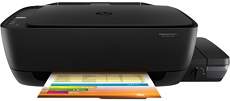
HP DeskJet GT 5811 Driver Download
- 4 drivers
- Supports Windows 11
- Windows · macOS · Linux
- ✓ Safe & free
The HP DeskJet GT 5811 printer is part of the HP DeskJet GT 5800 series, which includes five models. With a product number of 1WW42A, this all-in-one printer boasts impressive features. It's important to note that the only means of connectivity available for this printer is through the standard hi-speed USB 2.0 port. What's great about this printer is that it's compatible with a variety of operating systems, including Linux, Mac OS X, and Windows. However, it's important to keep in mind that each of these operating systems has specific requirements when it comes to processor type and speed, as well as RAM. Whether you're a Linux user, a Mac OS X enthusiast, or a die-hard Windows fan, the HP DeskJet GT 5811 printer has got you covered. Its impressive capabilities and compatibility make it a great choice for anyone looking for a reliable all-in-one printer.
HP DeskJet GT 5811 Driver Downloads
| Driver | Operating System | Version | Size | Download |
|---|---|---|---|---|
| Full Feature Drivers Recommended | Windows 11Windows 10Windows 8.1Windows 8Windows 7Windows VistaWindows XP | — | 71 MB | Download |
| Basic | Windows 10Windows 8.1Windows 8Windows 7Windows VistaWindows XP | — | 34.9 MB | Download |
| Basic | Windows 10Windows 8.1Windows 8Windows 7Windows Vista | — | 36.9 MB | Download |
| HP Easy Start | macOS | — | 9.1 MB | Download |
How to Install the HP DeskJet GT 5811 Driver
- Click the recommended driver package above and save the file to your PC.
- Open the downloaded file and follow the on-screen HP installer.
- Connect the DeskJet GT 5811 by USB or network when prompted.
- Finish and print a test page to confirm the driver works.