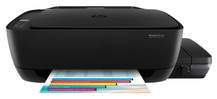
HP DeskJet GT 5822 Driver Download
- 6 drivers
- Supports Windows 11
- Windows · macOS · Linux
- ✓ Safe & free
Belonging to the Deskjet GT 5800 printer series, the HP DeskJet GT 5822 printer is certainly worth its price. Along with its counterparts, the HP Deskjet GT 5810, HP Deskjet GT 5811, and HP Deskjet GT 5820 all-in-one printers, this series offers a range of options to meet the needs of various users. Each member of the series has its distinct features, making it easy for users to identify their preferred model. One of the unique properties of the HP DeskJet GT 5822 printer is its connectivity options. It comes with a wireless 802.11 b/g/n that operates at a rate of 2.4 GHz on the network. Additionally, it has a standard USB port for more conventional connectivity. The printer also offers options such as the HP smart app for wireless network and WiFi direct. Whether you're a professional or a casual user, this printer series has something to offer for everyone. With its exceptional features, this printer series provides a reliable and efficient printing experience. So, if you're looking for a high-quality printer, the HP DeskJet GT 5822 printer and its series are definitely worth considering.
HP DeskJet GT 5822 Driver Downloads
| Driver | Operating System | Version | Size | Download |
|---|---|---|---|---|
| Full Feature Drivers Recommended | Windows 11Windows 10Windows 8.1Windows 8Windows 7Windows VistaWindows XP | — | 78.2 MB | Download |
| Basic | Windows 10Windows 8.1Windows 8Windows 7Windows VistaWindows XP | — | 38 MB | Download |
| Basic | Windows 10Windows 8.1Windows 8Windows 7Windows Vista | — | 40 MB | Download |
| ePrint Software Network and Wireless Connected Printers | Windows 10Windows 8.1Windows 8Windows 7 | — | 26.2 MB | Download |
| ePrint Software Network and Wireless Connected Printers | Windows 10Windows 8.1Windows 8Windows 7 | — | 31.2 MB | Download |
| Easy Start Printer Setup | macOS | — | 9.1 MB | Download |
How to Install the HP DeskJet GT 5822 Driver
- Click the recommended driver package above and save the file to your PC.
- Open the downloaded file and follow the on-screen HP installer.
- Connect the DeskJet GT 5822 by USB or network when prompted.
- Finish and print a test page to confirm the driver works.