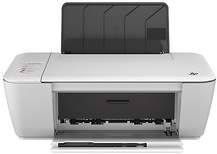
HP Deskjet Ink Advantage 1518 Driver Download
- 5 drivers
- Supports Windows 11
- Windows · macOS · Linux
- ✓ Safe & free
The HP Deskjet Ink Advantage 1518 is a multifunctional printer that boasts top-of-the-line document printing, copying, and scanning capabilities at lightning-fast speeds. This versatile printer is perfect for both personal and commercial use, offering exceptional quality and convenience for all your printing needs. Employing the advanced drop-on-demand thermal inkjet printing method, the HP Deskjet Ink Advantage 1518 delivers crisp and clear documents with incredible detail and precision. With its PCL3 GUI printing language, this printer is able to produce high-quality prints with unparalleled accuracy and speed. Whether you're printing important business reports or personal documents, the HP Deskjet Ink Advantage 1518 is the perfect tool for the job. Its advanced features and user-friendly interface make it easy to use, while its exceptional performance and reliability ensure that your documents are always printed with the utmost precision and clarity. Invest in the HP Deskjet Ink Advantage 1518 today and experience the unparalleled quality and convenience that this advanced printer has to offer.
HP Deskjet Ink Advantage 1518 Driver Downloads
| Driver | Operating System | Version | Size | Download |
|---|---|---|---|---|
| Full Feature Drivers Recommended | Windows 11Windows 10Windows 8.1Windows 8Windows 7Windows VistaWindows XP | — | 92.5 MB | Download |
| Basic | Windows 11Windows 10Windows 8.1Windows 8Windows 7Windows VistaWindows XP | — | 28.6 MB | Download |
| Basic | Windows 11Windows 10Windows 8.1Windows 8Windows 7Windows Vista | — | 30.1 MB | Download |
| Easy Start Printer Setup | macOS | — | 9.1 MB | Download |
| Full Feature Drivers | macOS | — | 114.1 MB | Download |
How to Install the HP Deskjet Ink Advantage 1518 Driver
- Click the recommended driver package above and save the file to your PC.
- Open the downloaded file and follow the on-screen HP installer.
- Connect the Deskjet Ink Advantage 1518 by USB or network when prompted.
- Finish and print a test page to confirm the driver works.