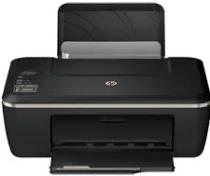
HP Deskjet Ink Advantage 2515 Driver Download
- 5 drivers
- Supports Windows
- Windows · macOS · Linux
- ✓ Safe & free
Inkjet printers are a versatile option for both personal use and small businesses. These printers offer the ability to print high-quality images, rivaling even professional photographs, while keeping costs low. However, it's important to note that inkjet printers require cartridge replacement when they run out, and these cartridges make up the majority of operating expenses for this type of printer. If you're looking for an inkjet printer that's compatible with Mac operating systems, the HP Deskjet Ink Advantage 2515 mac Driver is a great choice. The minimum system requirements for this driver include macOS Big Sur 11.x, Mac OS Catalina 10.15.x, Mac OS X Lion 10.7.x, and Mac OS X El Capitan 10.11. So whether you're a budding photographer or a small business owner, an inkjet printer like the HP Deskjet Ink Advantage 2515 can provide you with the high-quality prints you need without breaking the bank. Just keep in mind the ongoing cost of replacing cartridges.
HP Deskjet Ink Advantage 2515 Driver Downloads
| Driver | Operating System | Version | Size | Download |
|---|---|---|---|---|
| Full Feature Drivers Recommended | Windows | — | 55.9 MB | Download |
| Basic Driver Windows XP Vista 7 8 8.1 and 10 | Windows 10Windows 8.1Windows 8Windows 7Windows VistaWindows XP | — | 21.1 MB | Download |
| Basic Driver Windows Vista 7 8 8.1 and 10 | Windows 10Windows 8.1Windows 8Windows 7Windows Vista | — | 22.9 MB | Download |
| Full Feature Drivers | macOS | — | 146.9 MB | Download |
| HP Easy Start | macOS | — | 9.1 MB | Download |
How to Install the HP Deskjet Ink Advantage 2515 Driver
- Click the recommended driver package above and save the file to your PC.
- Open the downloaded file and follow the on-screen HP installer.
- Connect the Deskjet Ink Advantage 2515 by USB or network when prompted.
- Finish and print a test page to confirm the driver works.