HP Deskjet Ink Advantage 2640 Driver Download
- 5 drivers
- Supports Windows 11
- Windows · macOS · Linux
- ✓ Safe & free
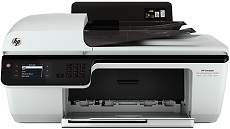
The Deskjet Ink Advantage printers are a perfect blend of features for both personal and commercial printing needs. The USB 2.0 hi-speed port and fax connector are the two primary connectivity options available in this printer. In terms of dimensions, it measures 9.3 inches in height, 21.3 inches in width, and 17.5 inches in depth. The printer weighs around 11.9 lbs or 5.4 kg, making it easy to handle and transport. One of the notable models in this range is the HP Deskjet Ink Advantage 2640 printer, which comes with an internal driver that enables manual duplex printing. This feature allows you to print on both sides of the paper, thereby reducing paper usage and costs. With its advanced features and compact design, the Deskjet Ink Advantage printers are an excellent choice for printing needs in any setting.
HP Deskjet Ink Advantage 2640 Driver Downloads
| Driver | Operating System | Version | Size | Download |
|---|---|---|---|---|
| Full Feature Drivers Recommended | Windows 11Windows 10Windows 8.1Windows 8Windows 7Windows VistaWindows XP | — | 111.1 MB | Download |
| Basic | Windows 10Windows 8.1Windows 8Windows 7Windows VistaWindows XP | — | 36.1 MB | Download |
| Basic | Windows 11Windows 10Windows 8.1Windows 8Windows 7Windows Vista | — | 38.2 MB | Download |
| HP Easy Start | macOS | — | 9.1 MB | Download |
| Full Feature Drivers | macOS | — | 138.2 MB | Download |
How to Install the HP Deskjet Ink Advantage 2640 Driver
- Click the recommended driver package above and save the file to your PC.
- Open the downloaded file and follow the on-screen HP installer.
- Connect the Deskjet Ink Advantage 2640 by USB or network when prompted.
- Finish and print a test page to confirm the driver works.