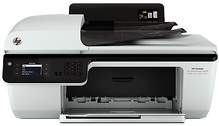
HP Deskjet Ink Advantage 2646 Driver Download
- 5 drivers
- Supports Windows 11
- Windows · macOS · Linux
- ✓ Safe & free
Looking for a versatile all-in-one printer that can handle printing, scanning, faxing, and copying with ease? Look no further than the HP Deskjet Ink Advantage 2646! Whether you're using it for personal or professional purposes, this printer is an excellent choice, particularly for small office settings. With its robust feature set and advanced capabilities, the HP Deskjet Ink Advantage 2646 is designed to meet the demands of modern printing tasks. And thanks to its intuitive interface and easy-to-use controls, you'll be up and running in no time. So why wait? If you're ready to take your printing to the next level, then the HP Deskjet Ink Advantage 2646 is the perfect choice for you. Order yours today and experience the ultimate in printing performance and convenience!.
HP Deskjet Ink Advantage 2646 Driver Downloads
| Driver | Operating System | Version | Size | Download |
|---|---|---|---|---|
| Full Feature Drivers Recommended | Windows 11Windows 10Windows 8.1Windows 8Windows 7Windows VistaWindows XP | — | 111.1 MB | Download |
| Basic | Windows 10Windows 8.1Windows 8Windows 7Windows VistaWindows XP | — | 36.1 MB | Download |
| Basic | Windows 11Windows 10Windows 8.1Windows 8Windows 7Windows Vista | — | 38.2 MB | Download |
| Easy Start Printer Setup | macOS | — | 9.1 MB | Download |
| Full Feature Drivers | macOS | — | 138.2 MB | Download |
How to Install the HP Deskjet Ink Advantage 2646 Driver
- Click the recommended driver package above and save the file to your PC.
- Open the downloaded file and follow the on-screen HP installer.
- Connect the Deskjet Ink Advantage 2646 by USB or network when prompted.
- Finish and print a test page to confirm the driver works.