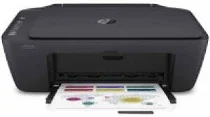
HP DeskJet Ink Advantage 2774 Driver Download
- 4 drivers
- Supports Windows 10
- Windows · macOS · Linux
- ✓ Safe & free
The HP DeskJet Ink Advantage 2774 is a versatile printer model from the ink advantage series, offering multifunctional capabilities. Equipped with HP 667 setup black and tri-color cartridges, a regulatory flyer, reference guide, setup guide, and a 1.5 meter power cord, this machine has everything you need to get started. In terms of connectivity options, the HP DeskJet Ink Advantage 2774 offers both a hi-speed USB 2.0 port and an inbuilt wireless feature with 802.11a/b/g/n component, ensuring that you can print from a range of devices with ease. One of the key features of this printer is its internal driver for manual duplex printing, which ensures optimal performance and allows you to print on both sides of a page without any hassle. Overall, the HP DeskJet Ink Advantage 2774 is a reliable and efficient printer that is perfect for both home and office use. With its multifunctional capabilities and advanced features, it is sure to meet all your printing needs.
HP DeskJet Ink Advantage 2774 Driver Downloads
| Driver | Operating System | Version | Size | Download |
|---|---|---|---|---|
| Full Feature Driver Recommended | Windows 10Windows 8.1Windows 8Windows 7 | — | 192.3 MB | Download |
| Full feature Drivers and Software–Offline Use Only | Windows 11Windows 10Windows 7 | — | — | Download |
| Easy Start Printer Setup | Windows 11Windows 10Windows 8.1Windows 8Windows 7 | — | 11.4 MB | Download |
| Easy Start | macOS | — | 9.1 MB | Download |
How to Install the HP DeskJet Ink Advantage 2774 Driver
- Click the recommended driver package above and save the file to your PC.
- Open the downloaded file and follow the on-screen HP installer.
- Connect the DeskJet Ink Advantage 2774 by USB or network when prompted.
- Finish and print a test page to confirm the driver works.