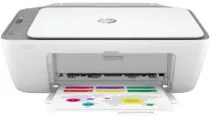
HP DeskJet Ink Advantage 2775 Driver Download
- 4 drivers
- Supports Windows 10
- Windows · macOS · Linux
- ✓ Safe & free
The HP DeskJet Ink Advantage 2775 printer is a versatile all-in-one model that can print, copy, and scan documents with ease. What sets this printer apart is its internal driver that allows for manual duplex printing, making it a great choice for eco-conscious users. In terms of connectivity, the HP DeskJet Ink Advantage 2775 boasts a standard USB 2.0 hi-speed port and an inbuilt Wi-Fi 802.11a/b/g/n. This makes it easy to connect to a range of devices, including mobile phones and tablets. Users will be pleased to know that the HP DeskJet Ink Advantage 2775 driver is compatible with both Windows and Mac operating systems, making it a versatile choice for any home or office environment. Whether you need to print, scan, or copy documents, this printer has got you covered.
HP DeskJet Ink Advantage 2775 Driver Downloads
| Driver | Operating System | Version | Size | Download |
|---|---|---|---|---|
| Full Feature Driver Recommended | Windows 10Windows 8.1Windows 8Windows 7 | — | 192.3 MB | Download |
| Full feature Driver and Software–Offline Use Only | Windows 11Windows 10Windows 7 | — | — | Download |
| Easy Start Printer Setup | Windows 11Windows 10Windows 8.1Windows 8Windows 7 | — | 11.4 MB | Download |
| Easy Start | macOS | — | 9.1 MB | Download |
How to Install the HP DeskJet Ink Advantage 2775 Driver
- Click the recommended driver package above and save the file to your PC.
- Open the downloaded file and follow the on-screen HP installer.
- Connect the DeskJet Ink Advantage 2775 by USB or network when prompted.
- Finish and print a test page to confirm the driver works.