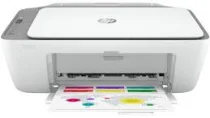
HP DeskJet Ink Advantage 2776 Driver Download
- 4 drivers
- Supports Windows 10
- Windows · macOS · Linux
- ✓ Safe & free
The HP DeskJet Ink Advantage 2776 printer is a multifunctional printer that is part of the HP DeskJet Ink Advantage 2770 printer series. When you purchase this printer, you will receive HP 682 setup black and tri-color cartridges, as well as regulatory flyers. The package also includes a setup guide, reference guide, and a power cord that is no longer than 1.5 m. One of the standout features of the HP DeskJet Ink Advantage 2776 is its internal print driver, which allows for manual duplex printing. This means that you can easily print on both sides of the paper, which is not only environmentally friendly but also saves you money on paper costs in the long run. Overall, the HP DeskJet Ink Advantage 2776 is a reliable and versatile printer that can handle all of your printing, scanning, and copying needs. Its internal print driver for manual duplex printing is just one of the many features that make this printer a great choice for both personal and professional use.
HP DeskJet Ink Advantage 2776 Driver Downloads
| Driver | Operating System | Version | Size | Download |
|---|---|---|---|---|
| Full Feature Driver Recommended | Windows 10Windows 8.1Windows 8Windows 7 | — | 192.3 MB | Download |
| Full feature Driver and Software–Offline Use Only | Windows 11Windows 10Windows 7 | — | — | Download |
| Easy Start Printer Setup | Windows 11Windows 10Windows 8.1Windows 8Windows 7 | — | 11.4 MB | Download |
| Easy Start | macOS | — | 9.1 MB | Download |
How to Install the HP DeskJet Ink Advantage 2776 Driver
- Click the recommended driver package above and save the file to your PC.
- Open the downloaded file and follow the on-screen HP installer.
- Connect the DeskJet Ink Advantage 2776 by USB or network when prompted.
- Finish and print a test page to confirm the driver works.