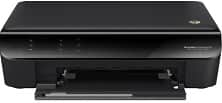
HP Deskjet Ink Advantage 3546 Driver Download
- 7 drivers
- Supports Windows 11
- Windows · macOS · Linux
- ✓ Safe & free
The HP Deskjet Ink Advantage 3546 is a formidable device that boasts exceptional printing capabilities. It has been granted an ENERGY STAR certification, which renders it an ideal machine for all printing needs. The printer's all-in-one label is a result of its diverse range of features, which include printing, scanning, and copying documents.HP Deskjet Ink Advantage 3546 e-All-in-One ink cartridge.HP650 Black Ink Cartridge yield (~120 pages), HP 650 Cyan Ink Cartridge yield (~100 pages)To operate the printer on a Windows operating system, there are specific system requirements that must be met. For Windows XP, the computer must have a minimum of 128 MB of RAM and an Intel Pentium II processor. However, for Windows 7 and Vista, the computer must have a minimum of 1 GB of RAM and a 1 GHz processor. It's important to note that the printer can also be successfully connected to Windows 8 and 10 operating systems.In terms of the Macintosh operating system, the printer boasts complete compatibility with an array of Mac OS X versions, ranging from Mac OS X 10.6 up to 10.11. Furthermore, the HP Deskjet Ink Advantage 3546 driver can also be supported by the latest Mac OS X 10.14.
HP Deskjet Ink Advantage 3546 Driver Downloads
| Driver | Operating System | Version | Size | Download |
|---|---|---|---|---|
| Full Feature Drivers Recommended | Windows 11Windows 10Windows 8.1Windows 8Windows 7Windows VistaWindows XP | — | 108.2 MB | Download |
| Basic Driver and Software IT Professional Use only | Windows 10Windows 8.1Windows 8Windows 7Windows VistaWindows XP | — | 32.5 MB | Download |
| Basic Driver and Software IT Professional Use only | Windows 11Windows 10Windows 8.1Windows 8Windows 7Windows VistaWindows XP | — | 34.2 MB | Download |
| ePrint Software Network and Wireless Connected Printers | Windows 10Windows 8.1Windows 8Windows 7 | — | 26.2 MB | Download |
| ePrint Software Network and Wireless Connected Printers | Windows 10Windows 8.1Windows 8Windows 7 | — | 31.2 MB | Download |
| Easy Start Printer Setup | macOS | — | 9.1 MB | Download |
| Full Feature Drivers | macOS | — | 124.5 MB | Download |
How to Install the HP Deskjet Ink Advantage 3546 Driver
- Click the recommended driver package above and save the file to your PC.
- Open the downloaded file and follow the on-screen HP installer.
- Connect the Deskjet Ink Advantage 3546 by USB or network when prompted.
- Finish and print a test page to confirm the driver works.