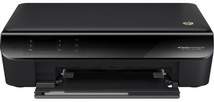
HP Deskjet Ink Advantage 3548 Driver Download
- 7 drivers
- Supports Windows 11
- Windows · macOS · Linux
- ✓ Safe & free
The HP Deskjet Ink Advantage 3548 is a top-performing printer from HP, renowned for its exceptional efficiency. It is a versatile multi-functional device that allows you to print, scan, and copy documents with ease. This printer is highly regarded for its superior quality and remarkable speed, making it an excellent option for both personal and professional use. Whether you're looking for a dependable printer for your home-based office or for your personal use at home, the HP Deskjet Ink Advantage 3548 is an ideal choice. Its advanced features and cutting-edge technology ensure that you get the best printing experience possible. With its exceptional efficiency, you can easily print high-quality documents in no time. Moreover, this printer is designed to cater to your diverse printing needs. It is engineered with advanced features that allow you to print documents, photos, and graphics with outstanding clarity and precision. Its high-speed performance ensures that you never have to wait long for your prints to be ready. In summary, the HP Deskjet Ink Advantage 3548 is a highly efficient printer that offers exceptional quality and speed. With its advanced features, you can easily print, scan, and copy documents with ease. Whether you're looking for a printer for your office or home use, this printer is an excellent choice that will exceed your expectations.
HP Deskjet Ink Advantage 3548 Driver Downloads
| Driver | Operating System | Version | Size | Download |
|---|---|---|---|---|
| Full Feature Drivers Recommended | Windows 11Windows 10Windows 8.1Windows 8Windows 7Windows VistaWindows XP | — | 108.2 MB | Download |
| Basic Driver IT Professional Use only | Windows 10Windows 8.1Windows 8Windows 7Windows VistaWindows XP | — | 32.5 MB | Download |
| Basic Driver IT Professional Use only | Windows 11Windows 10Windows 8.1Windows 8Windows 7Windows VistaWindows XP | — | 34.2 MB | Download |
| ePrint Software Network and Wireless Connected Printers | Windows 10Windows 8.1Windows 8Windows 7 | — | 26.2 MB | Download |
| ePrint Software Network and Wireless Connected Printers | Windows 10Windows 8.1Windows 8Windows 7 | — | 31.2 MB | Download |
| Easy Start Printer Setup | macOS | — | 9.1 MB | Download |
| Full Feature Drivers | macOS | — | 124.5 MB | Download |
How to Install the HP Deskjet Ink Advantage 3548 Driver
- Click the recommended driver package above and save the file to your PC.
- Open the downloaded file and follow the on-screen HP installer.
- Connect the Deskjet Ink Advantage 3548 by USB or network when prompted.
- Finish and print a test page to confirm the driver works.