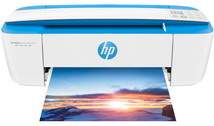
HP DeskJet Ink Advantage 3787 Driver Download
- 12 drivers
- Supports Windows 11
- Windows · macOS · Linux
- ✓ Safe & free
The device's printing specifications boast a remarkable black print resolution of up to 1200 x 1200 dots per inch (dpi). For color printing, it is recommended to use HP premium plus paper to achieve a resolution of up to 4800 x 1200 dpi. The print method used is drop on demand thermal inkjet technology with HP PCL 3 GUI emulation, which ensures high-quality prints every time. When it comes to speed, the device delivers exceptional performance. In draft mode, it can print up to 19 pages per minute (ppm) for black printing, while color printing in draft mode runs at a rate of 15 ppm. For ISO mode, the device can print at a rate of 5.5 ppm, which is impressive for a device of this caliber. In conclusion, the device's printing specifications are top-notch and guarantee excellent quality prints. Its advanced technology and impressive speed make it a reliable and efficient printing solution for any work environment.
HP DeskJet Ink Advantage 3787 Driver Downloads
| Driver | Operating System | Version | Size | Download |
|---|---|---|---|---|
| Full Feature Drivers Recommended | Windows 11Windows 10Windows 8.1Windows 8Windows 7 | — | 102.5 MB | Download |
| Full Feature Drivers | Windows VistaWindows XP | — | 102.5 MB | Download |
| Basic | Windows 10Windows 8.1Windows 8Windows 7Windows VistaWindows XP | — | 54.5 MB | Download |
| Basic Driver IT Professional Use only | Windows 11Windows 10Windows 8.1Windows 8Windows 7 | — | 59.5 MB | Download |
| Basic | Windows VistaWindows XP | — | 55.9 MB | Download |
| Easy Start Printer Setup Software Utility | Windows 11Windows 10 | — | 11.3 MB | Download |
| Easy Start Printer Setup Software Utility | Windows 8.1Windows 8 | — | 11.3 MB | Download |
| Easy Start Printer Setup Software Utility | Windows 7 | — | 11.3 MB | Download |
| Easy Start Printer Setup Installation Software and Full Drivers | Windows 11Windows 10Windows 8.1Windows 8Windows 7 | — | 173.4 MB | Download |
| ePrint Software Network and Wireless Connected Printers | Windows 10Windows 8.1Windows 8Windows 7 | — | 26.2 MB | Download |
| ePrint Software Network and Wireless Connected Printers | Windows 10Windows 8.1Windows 8Windows 7 | — | 31.2 MB | Download |
| Easy Start Printer Setup | macOS | — | 9.1 MB | Download |
How to Install the HP DeskJet Ink Advantage 3787 Driver
- Click the recommended driver package above and save the file to your PC.
- Open the downloaded file and follow the on-screen HP installer.
- Connect the DeskJet Ink Advantage 3787 by USB or network when prompted.
- Finish and print a test page to confirm the driver works.