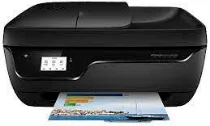
HP DeskJet Ink Advantage 3836 Driver Download
- 9 drivers
- Supports Windows
- Windows · macOS · Linux
- ✓ Safe & free
The HP Deskjet Ink Advantage 3836 is a compact, all-in-one color printer that packs a powerful punch. Whether you need to scan, copy, or print, this fantastic printer can handle it all with ease. You'll love the Wi-Fi connectivity that comes standard with this printer, which allows you to wirelessly print documents using HP's mobile cloud printing service. One of the standout features of this printer is its premium quality, despite its small size. It's a great option for those who need a printer that won't take up too much space in their home or office. Plus, the AIO design ensures that you can produce prints quickly without sacrificing the quality of the output. Overall, the HP Deskjet Ink Advantage 3836 is an excellent choice for anyone who needs a reliable, high-quality printer that can handle a variety of tasks. Its compact design, Wi-Fi connectivity, and premium output make it a standout option in the world of all-in-one printers.
HP DeskJet Ink Advantage 3836 Driver Downloads
| Driver | Operating System | Version | Size | Download |
|---|---|---|---|---|
| Full Feature Drivers Recommended | Windows | — | 167.8 MB | Download |
| Full Feature Drivers | Windows Vista | — | 138.2 MB | Download |
| Basic Drivers IT Professional Use only | Windows 10Windows 8.1Windows 8Windows 7Windows XP | — | 58.7 MB | Download |
| Basic Drivers IT Professional Use only | Windows 11Windows 10Windows 8.1Windows 8Windows 7 | — | 62.4 MB | Download |
| Basic | Windows Vista | — | 47.1 MB | Download |
| Easy Start Printer Setup | Windows 11Windows 10Windows 8.1Windows 8Windows 7 | — | 9.8 MB | Download |
| ePrint Software Network and Wireless Connected Printers | Windows 10Windows 8.1Windows 8Windows 7 | — | 26.2 MB | Download |
| ePrint Software Network and Wireless Connected Printers | Windows 10Windows 8.1Windows 8Windows 7 | — | 31.2 MB | Download |
| Easy Start Printer Setup | macOS | — | 9.1 MB | Download |
How to Install the HP DeskJet Ink Advantage 3836 Driver
- Click the recommended driver package above and save the file to your PC.
- Open the downloaded file and follow the on-screen HP installer.
- Connect the DeskJet Ink Advantage 3836 by USB or network when prompted.
- Finish and print a test page to confirm the driver works.