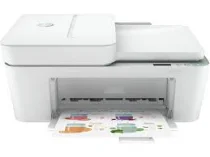
HP Deskjet Ink Advantage 4177 Driver Download
- 4 drivers
- Supports Windows
- Windows · macOS · Linux
- ✓ Safe & free
The HP Deskjet Ink Advantage 4177 printer model is a versatile device that offers exceptional printing, copying, scanning, and faxing capabilities, delivering superior quality output that meets your expectations. With an internal driver for manual duplex printing, you can easily print on both sides of the paper, saving time and resources. Operating in ISO mode, this remarkable printer model can print black documents at a rate of up to 8.5 pages per minute (ppm), ensuring fast and efficient printing. However, when it comes to color printing at the same mode, the speed is slightly lower, reaching up to 5.5 ppm. Nevertheless, the best method of printing produces an impressive resolution of 1200 x 1200 dots per inch (dpi), delivering exceptional image quality that is sure to impress. Overall, the HP Deskjet Ink Advantage 4177 printer model is an outstanding device that is perfect for both personal and professional use, providing exceptional performance and efficiency that guarantees superior results every time.
HP Deskjet Ink Advantage 4177 Driver Downloads
| Driver | Operating System | Version | Size | Download |
|---|---|---|---|---|
| Full Feature Recommended | Windows | — | 192.4 MB | Download |
| Full feature Driver and Software–Offline Use Only | Windows 11Windows 10Windows 7 | — | — | Download |
| Easy Start Printer Setup | Windows 11Windows 10Windows 8.1Windows 8Windows 7 | — | 11.4 MB | Download |
| Easy Start | macOS | — | 9.1 MB | Download |
How to Install the HP Deskjet Ink Advantage 4177 Driver
- Click the recommended driver package above and save the file to your PC.
- Open the downloaded file and follow the on-screen HP installer.
- Connect the Deskjet Ink Advantage 4177 by USB or network when prompted.
- Finish and print a test page to confirm the driver works.