HP Deskjet Ink Advantage 4178 Driver Download
- 4 drivers
- Supports Windows 10
- Windows · macOS · Linux
- ✓ Safe & free
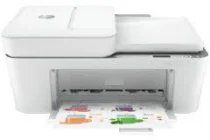
The HP Deskjet Ink Advantage 4178 is a multifunctional printer model from the HP Deskjet series. It boasts a hi-speed USB 2.0 port and an internally built Wi-Fi 802.11a/b/g/n wireless device for easy connectivity options. This printer also comes with a print driver for the manual duplex print function, allowing for efficient double-sided printing. When it comes to copying, the HP Deskjet Ink Advantage 4178 offers an auto-enlarge feature, which works for both color and monochrome printing. This feature allows for easy and efficient resizing of documents, making it ideal for businesses and home offices alike. Overall, the HP Deskjet Ink Advantage 4178 is a powerful and versatile printer that offers a range of features for all your printing needs. Whether you are printing documents, photos, or graphics, this printer delivers high-quality results every time.
HP Deskjet Ink Advantage 4178 Driver Downloads
| Driver | Operating System | Version | Size | Download |
|---|---|---|---|---|
| Full Feature Driver Recommended | Windows 10Windows 8.1Windows 8Windows 7 | — | 192.4 MB | Download |
| Full feature Driver and Software–Offline Use Only | Windows 11Windows 10Windows 7 | — | — | Download |
| Easy Start Printer Setup | Windows 11Windows 10Windows 8.1Windows 8Windows 7 | — | 11.4 MB | Download |
| Easy Start | macOS | — | 9.1 MB | Download |
How to Install the HP Deskjet Ink Advantage 4178 Driver
- Click the recommended driver package above and save the file to your PC.
- Open the downloaded file and follow the on-screen HP installer.
- Connect the Deskjet Ink Advantage 4178 by USB or network when prompted.
- Finish and print a test page to confirm the driver works.