HP DeskJet Ink Advantage 5075 Driver Download
- 8 drivers
- Supports Windows 11
- Windows · macOS · Linux
- ✓ Safe & free
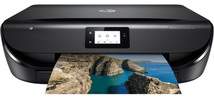
The HP DeskJet Ink Advantage 5075 printer bundle comprises the device itself, HP 664 setup black and tri-color ink cartridges, and an ink caution flyer. Additionally, the package comes with a power cord, software CD, and setup poster for your convenience. The printer's product number, M2U86A, gives it a distinct identity in the market. To connect with the printer, you can use either a hi-speed USB 2.0 port or WiFi 802.11n dual-band for wireless connectivity. With these options, you can enjoy seamless printing and scanning experiences from virtually anywhere in your home or office. Take advantage of this printer's versatility and efficiency to meet all your printing needs. Whether you're looking to print professional documents or high-quality photos, the HP DeskJet Ink Advantage 5075 printer has got you covered. Get yours today and experience the power of seamless printing in your home or office.Replacing CartridgesHP 680 Black Ink Original Cartridge (~480 pages)680 Tri-color Original Ink Cartridge (~150 pages).
HP DeskJet Ink Advantage 5075 Driver Downloads
| Driver | Operating System | Version | Size | Download |
|---|---|---|---|---|
| Full Feature Drivers Recommended | Windows 11Windows 10Windows 8.1Windows 8Windows 7Windows VistaWindows XP | — | 133.9 MB | Download |
| Basic Driver IT Professional Use only | Windows 10Windows 8.1Windows 8Windows 7Windows VistaWindows XP | — | 62.1 MB | Download |
| Basic Driver IT Professional Use only | Windows 11Windows 10Windows 8.1Windows 8Windows 7 | — | 70.5 MB | Download |
| Easy Start Printer Setup | Windows 11Windows 10 | — | 11.3 MB | Download |
| Easy Start Printer Setup | Windows 8.1Windows 8 | — | 11.3 MB | Download |
| Easy Start Printer Setup | Windows 7 | — | 11.3 MB | Download |
| Easy Start Printer Setup | macOS | — | 9.1 MB | Download |
| hp helip installer 3.17.9.run | Windows | — | 22.8 MB | Download |
How to Install the HP DeskJet Ink Advantage 5075 Driver
- Click the recommended driver package above and save the file to your PC.
- Open the downloaded file and follow the on-screen HP installer.
- Connect the DeskJet Ink Advantage 5075 by USB or network when prompted.
- Finish and print a test page to confirm the driver works.