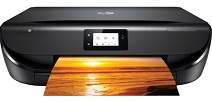
HP DeskJet Ink Advantage 5078 Driver Download
- 7 drivers
- Supports Windows 11
- Windows · macOS · Linux
- ✓ Safe & free
The HP DeskJet Ink Advantage 5078 printer model is a versatile all-in-one device that can print, copy, scan, and fax with ease. Boasting a product number of M2U87B, it's a fantastic machine that produces top-quality output. What's more, this printer offers a range of connection options, including a hi-speed USB 2.0 port and Wi-Fi 802.11n dual-band component. With wireless connectivity support, you can print from anywhere in the room without the need for messy cables. In copy mode, you can choose from several settings, including start black copy, start color copy, and several copies selection, making it easy to get the results you want with minimal effort. Overall, the HP DeskJet Ink Advantage 5078 printer model is an excellent choice for anyone looking for a versatile and reliable all-in-one device.Supported Windows operating Systems.
HP DeskJet Ink Advantage 5078 Driver Downloads
| Driver | Operating System | Version | Size | Download |
|---|---|---|---|---|
| Full Feature Drivers Recommended | Windows 11Windows 10Windows 8.1Windows 8Windows 7Windows VistaWindows XP | — | 133.9 MB | Download |
| Basic Driver IT Professional Use only | Windows 10Windows 8.1Windows 8Windows 7Windows VistaWindows XP | — | 62.1 MB | Download |
| Basic Driver IT Professional Use only | Windows 11Windows 10Windows 8.1Windows 8Windows 7 | — | 70.5 MB | Download |
| Easy Start Printer Setup | Windows 11Windows 10 | — | 11.3 MB | Download |
| Easy Start Printer Setup | Windows 8.1Windows 8 | — | 11.3 MB | Download |
| Easy Start Printer Setup | Windows 7 | — | 11.3 MB | Download |
| HP Easy Start | macOS | — | 9.1 MB | Download |
How to Install the HP DeskJet Ink Advantage 5078 Driver
- Click the recommended driver package above and save the file to your PC.
- Open the downloaded file and follow the on-screen HP installer.
- Connect the DeskJet Ink Advantage 5078 by USB or network when prompted.
- Finish and print a test page to confirm the driver works.