HP DeskJet Ink Advantage 5278 Driver Download
- 5 drivers
- Supports Windows
- Windows · macOS · Linux
- ✓ Safe & free
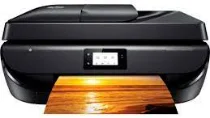
The HP DeskJet Ink Advantage 5278 printer belongs to the Ink Advantage series of all-in-one printers. This model comes equipped with an internal driver that boasts exceptional qualities, ensuring optimal compatibility with various standard operating system versions. In addition to the printer itself, the contents of the machine box include HP 680 setup black and tri-color ink cartridges, an ink flyer, and a power cord. The black cartridge is capable of producing up to 480 pages, while the color cartridge can print up to 150 pages. With its advanced features and high-quality components, the HP DeskJet Ink Advantage 5278 is an excellent choice for anyone seeking a reliable and efficient all-in-one printer. Whether you are printing documents, graphics, or photos, this versatile machine can handle all of your needs with ease. So why wait? Order your HP DeskJet Ink Advantage 5278 today and experience the ultimate in printing technology!.
HP DeskJet Ink Advantage 5278 Driver Downloads
| Driver | Operating System | Version | Size | Download |
|---|---|---|---|---|
| Full Feature Recommended | Windows | — | 155.1 MB | Download |
| Basic | Windows | — | 72 MB | Download |
| Basic | Windows | — | 79.2 MB | Download |
| Easy Start Printer Setup | Windows | — | 9.4 MB | Download |
| Easy Start | macOS | — | 9.1 MB | Download |
How to Install the HP DeskJet Ink Advantage 5278 Driver
- Click the recommended driver package above and save the file to your PC.
- Open the downloaded file and follow the on-screen HP installer.
- Connect the DeskJet Ink Advantage 5278 by USB or network when prompted.
- Finish and print a test page to confirm the driver works.