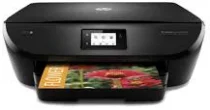
HP DeskJet Ink Advantage 5575 Driver Download
- 8 drivers
- Supports Windows
- Windows · macOS · Linux
- ✓ Safe & free
The HP Deskjet Ink Advantage 5575 all-in-one printer is the ideal choice for those seeking budget-friendly printing options. It is particularly well-suited for producing lab-quality photos and delivering impressive prints from mobile devices such as smartphones and tablets. The Ink Advantage 5575 has become synonymous with exceptional quality and cost-effective printing, making it a popular choice for both home and office use. Whether you need to print important documents or stunning visuals, the HP Deskjet Ink Advantage 5575 has got you covered. This versatile printer boasts an impressive range of features, including wireless connectivity, automatic two-sided printing, and a user-friendly interface. When it comes to low-cost printing, the Ink Advantage 5575 is in a league of its own. With its efficient ink usage and high-yield cartridges, you can save money without sacrificing quality. Plus, the printer's sleek and compact design makes it a stylish addition to any workspace. Overall, the HP Deskjet Ink Advantage 5575 is a top-performing all-in-one printer that delivers exceptional results at an affordable price. Whether you're a student, professional, or creative enthusiast, this printer is sure to meet all your printing needs and exceed your expectations.
HP DeskJet Ink Advantage 5575 Driver Downloads
| Driver | Operating System | Version | Size | Download |
|---|---|---|---|---|
| Full Feature Drivers Recommended | Windows | — | 148.6 MB | Download |
| Full Feature Drivers | Windows Vista | — | 124.3 MB | Download |
| Basic | Windows 10Windows 8.1Windows 8Windows 7Windows VistaWindows XP | — | 50.2 MB | Download |
| Basic | Windows 10Windows 8.1Windows 8Windows 7 | — | 53.4 MB | Download |
| Basic | Windows Vista | — | 39.4 MB | Download |
| ePrint Software Network and Wireless Connected Printers | Windows 10Windows 8.1Windows 8Windows 7 | — | 26.2 MB | Download |
| ePrint Software Network and Wireless Connected Printers | Windows 10Windows 8.1Windows 8Windows 7 | — | 31.2 MB | Download |
| Easy Start Printer Setup | macOS | — | 9.1 MB | Download |
How to Install the HP DeskJet Ink Advantage 5575 Driver
- Click the recommended driver package above and save the file to your PC.
- Open the downloaded file and follow the on-screen HP installer.
- Connect the DeskJet Ink Advantage 5575 by USB or network when prompted.
- Finish and print a test page to confirm the driver works.