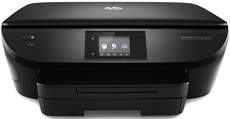
HP DeskJet Ink Advantage 5640 Driver Download
- 11 drivers
- Supports Windows 11
- Windows · macOS · Linux
- ✓ Safe & free
The HP DeskJet Ink Advantage 5640 printer is a true powerhouse, boasting exceptional features that set it apart from the competition. This all-in-one device is capable of performing multiple functions, including copying, printing, and scanning, making it an indispensable tool in any office environment. One of the standout features of this printer is its impressive connectivity options. Not only does it offer wireless direct printing and a memory card slot, but it also has Wi-Fi 802.11b/g/n and USB 2.0 hi-speed port capabilities, providing users with the flexibility to print from virtually any device or platform. When it comes to copying, the HP DeskJet Ink Advantage 5640 printer is equally impressive. It can copy at speeds of up to 21 copies per minute (CPM) in black, making it one of the fastest devices in its class. And when copying in color, the rate is around 19 cpm at the draft mode and on A4 paper, ensuring that users can quickly and easily produce high-quality copies of any document.
HP DeskJet Ink Advantage 5640 Driver Downloads
| Driver | Operating System | Version | Size | Download |
|---|---|---|---|---|
| Full Feature Drivers Recommended | Windows 11Windows 10Windows 8.1Windows 8Windows 7Windows VistaWindows XP | — | 152.9 MB | Download |
| Full Feature Drivers | Windows Vista | — | 142.8 MB | Download |
| Basic | Windows 10Windows 8.1Windows 8Windows 7Windows VistaWindows XP | — | 54.9 MB | Download |
| Basic | Windows 11Windows 10Windows 8.1Windows 8Windows 7 | — | 58.1 MB | Download |
| Basic | Windows Vista | — | 44.5 MB | Download |
| Easy Start Printer Setup | Windows 11Windows 10 | — | 11.3 MB | Download |
| Easy Start Printer Setup | Windows 8.1Windows 8 | — | 11.3 MB | Download |
| Easy Start Printer Setup | Windows 7 | — | 11.3 MB | Download |
| ePrint Software Network and Wireless Connected Printers | Windows 10Windows 8.1Windows 8Windows 7 | — | 26.2 MB | Download |
| ePrint Software Network and Wireless Connected Printers | Windows 10Windows 8.1Windows 8Windows 7 | — | 31.2 MB | Download |
| HP Easy Start | macOS | — | 9.1 MB | Download |
How to Install the HP DeskJet Ink Advantage 5640 Driver
- Click the recommended driver package above and save the file to your PC.
- Open the downloaded file and follow the on-screen HP installer.
- Connect the DeskJet Ink Advantage 5640 by USB or network when prompted.
- Finish and print a test page to confirm the driver works.