HP DeskJet Plus 4155 Driver Download
- 4 drivers
- Supports Windows 11
- Windows · macOS · Linux
- ✓ Safe & free
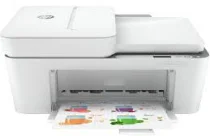
The HP DeskJet Plus 4155 printer model is equipped with state-of-the-art printing components to deliver top-notch quality and speed to its users. With a range of printer package contents, including the HP 67 setup black and tricolor instant ink ready cartridge, regulatory flyer, setup guide, reference guide, and power cord of no more than 1.5 m, this printer model is a must-have for all printing enthusiasts. Furthermore, the HP DeskJet Plus 4155 printer model supports a hi-speed USB 2.0 port, as well as a wireless inbuilt Wi-Fi 802.11b/g/n, ensuring seamless connectivity with a range of devices. The printer driver is also compatible with both Windows and Mac operating systems, providing users with a hassle-free printing experience. So, whether you're a professional or an amateur, the HP DeskJet Plus 4155 printer model is the perfect choice for all your printing needs. With its cutting-edge features and unmatched performance, it is sure to deliver exceptional results every time.
HP DeskJet Plus 4155 Driver Downloads
| Driver | Operating System | Version | Size | Download |
|---|---|---|---|---|
| Full Feature Driver Recommended | Windows 11Windows 10Windows 7 | — | 195.4 MB | Download |
| Full Feature Driver | Windows 10Windows 8.1Windows 8Windows 7 | — | 191.9 MB | Download |
| Easy Start Printer Setup | Windows 11Windows 10Windows 8.1Windows 8Windows 7 | — | 11.4 MB | Download |
| Easy Start | macOS | — | 9.1 MB | Download |
How to Install the HP DeskJet Plus 4155 Driver
- Click the recommended driver package above and save the file to your PC.
- Open the downloaded file and follow the on-screen HP installer.
- Connect the DeskJet Plus 4155 by USB or network when prompted.
- Finish and print a test page to confirm the driver works.