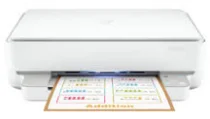
HP Deskjet Plus Ink Advantage 6075 Driver Download
- 7 drivers
- Supports Windows 10
- Windows · macOS · Linux
- ✓ Safe & free
The HP Deskjet Plus Ink Advantage 6075 printer model is a remarkable multifunction printer that boasts of exceptional features. One of its standout features is its compatibility with various OS versions, making it an ideal print driver for users with different devices. Aside from its print function, the printer can also scan, print photos, and make copies of documents. Its paper handling capability is also impressive, with an input tray that can hold up to 100 sheets of plain paper. However, the output tray can only accommodate 25 sheets of printed documents. Overall, the HP Deskjet Plus Ink Advantage 6075 printer model is an excellent choice for those who need a reliable and versatile printer. Its multifunctional capabilities and compatibility with various OS versions make it a valuable addition to any workspace.
HP Deskjet Plus Ink Advantage 6075 Driver Downloads
| Driver | Operating System | Version | Size | Download |
|---|---|---|---|---|
| Full Feature Driver Recommended | Windows 10Windows 8.1Windows 8Windows 7 | — | 192.4 MB | Download |
| Full feature Driver and Software–Offline Use Only | Windows 11Windows 10Windows 7 | — | — | Download |
| Universal Scan Full Feature Driver | Windows 11Windows 10Windows 8.1Windows 7 | — | 349.8 MB | Download |
| Universal Scan Basic Feature Driver | Windows 10Windows 8.1Windows 7 | — | 84.1 MB | Download |
| Universal Scan Basic Feature Driver | Windows 11Windows 10Windows 8.1Windows 7 | — | 104.8 MB | Download |
| Easy Start Printer Setup | Windows 11Windows 10Windows 8.1Windows 8Windows 7 | — | 11.4 MB | Download |
| Easy Start | macOS | — | 9.1 MB | Download |
How to Install the HP Deskjet Plus Ink Advantage 6075 Driver
- Click the recommended driver package above and save the file to your PC.
- Open the downloaded file and follow the on-screen HP installer.
- Connect the Deskjet Plus Ink Advantage 6075 by USB or network when prompted.
- Finish and print a test page to confirm the driver works.