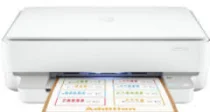
HP Deskjet Plus Ink Advantage 6078 Driver Download
- 7 drivers
- Supports Windows 10
- Windows · macOS · Linux
- ✓ Safe & free
The HP Deskjet Plus Ink Advantage 6078 is a remarkable all-in-one device that can print, copy, and scan documents to deliver exceptional results. Equipped with a Wi-Fi 802.11ac for dual-band connectivity and a standard USB 2.0 port, this machine is a versatile addition to any workspace. With the ability to produce up to 9 copies from an original form, this machine supports both color and monochrome documents for maximum flexibility. The HP Deskjet Plus Ink Advantage 6078 also boasts an internal driver, ensuring optimal print performance and compatibility. Overall, the HP Deskjet Plus Ink Advantage 6078 is a top-of-the-line device that delivers high-quality output and versatile functionality. Whether you're printing, copying, or scanning, this machine is sure to exceed your expectations.
HP Deskjet Plus Ink Advantage 6078 Driver Downloads
| Driver | Operating System | Version | Size | Download |
|---|---|---|---|---|
| Full Feature Driver Recommended | Windows 10Windows 8.1Windows 8Windows 7 | — | 192.4 MB | Download |
| Full feature Driver and Software–Offline Use Only | Windows 11Windows 10Windows 7 | — | — | Download |
| Universal Scan Full Feature Driver | Windows 11Windows 10Windows 8.1Windows 7 | — | 349.8 MB | Download |
| Universal Scan Basic Feature Driver | Windows 10Windows 8.1Windows 7 | — | 84.1 MB | Download |
| Universal Scan Basic Feature Driver | Windows 11Windows 10Windows 8.1Windows 7 | — | 104.8 MB | Download |
| Easy Start Printer Setup | Windows 11Windows 10Windows 8.1Windows 8Windows 7 | — | 11.4 MB | Download |
| Easy Start | macOS | — | 9.1 MB | Download |
How to Install the HP Deskjet Plus Ink Advantage 6078 Driver
- Click the recommended driver package above and save the file to your PC.
- Open the downloaded file and follow the on-screen HP installer.
- Connect the Deskjet Plus Ink Advantage 6078 by USB or network when prompted.
- Finish and print a test page to confirm the driver works.