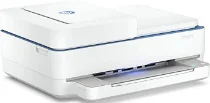
HP Deskjet Plus Ink Advantage 6476 Driver Download
- 4 drivers
- Supports Windows
- Windows · macOS · Linux
- ✓ Safe & free
The HP Deskjet Plus Ink Advantage 6476 printer is a member of the HP Deskjet Plus Ink Advantage 6470 series, boasting an impressive range of functions. This multifunction machine offers top-quality printing, copying, scanning, and faxing capabilities, all in one convenient device. To ensure the best possible print performance, it comes equipped with an internal driver. Connectivity is key with the HP Deskjet Plus Ink Advantage 6476, which offers both high-speed USB 2.0 and Wi-Fi 802.11ac (dual band) features. This printer model is proficient in both color and monochrome copying, with a maximum reproduction of up to 9 copies. If you're looking for a printer that can handle all your document needs, the HP Deskjet Plus Ink Advantage 6476 is a reliable choice. With its versatile functions and convenient connectivity options, it is sure to meet all your printing needs with ease.
HP Deskjet Plus Ink Advantage 6476 Driver Downloads
| Driver | Operating System | Version | Size | Download |
|---|---|---|---|---|
| Full Feature Recommended | Windows | — | 192.3 MB | Download |
| Full Basic | Windows | — | 60 MB | Download |
| Easy Start Printer Setup | Windows | — | 9.4 MB | Download |
| Easy Start | macOS | — | 9.1 MB | Download |
How to Install the HP Deskjet Plus Ink Advantage 6476 Driver
- Click the recommended driver package above and save the file to your PC.
- Open the downloaded file and follow the on-screen HP installer.
- Connect the Deskjet Plus Ink Advantage 6476 by USB or network when prompted.
- Finish and print a test page to confirm the driver works.