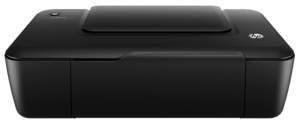
HP DeskJet Ultra Ink Advantage 2029 Driver Download
- 4 drivers
- Supports Windows 11
- Windows · macOS · Linux
- ✓ Safe & free
The HP Ultra Ink Advantage 2029 has a print speed for black printing to be seven pages per minute (ppm) at the ISO mode. However, when printing in black in the draft mode, the rate is up to 19 ppm. The print speed for color is 4 ppm for ISO mode and 15 ppm for draft mode. The first page prints after 18 seconds for black and 25 seconds for color. the print resolution is up to 600 dots per inch (dpi)HP DeskJet Ultra Ink Advantage 2029 ink cartridge.The printer has two cartridges, one black cartridge and a one tri-color which covers for cyan, yellow and magenta. The replacement options include HP 46 Black Ink cartridge with almost 1500 pages and the HP 46 Tri-color Ink cartridge for up to 750 pages. The print languages include HP PCL 3 GUI. Regarding connectivity, the options include a standard hi-speed USB 2.0 port. Apart from this, the printer has no mobile printing feature, no wireless, and nor HP ePrint.
HP DeskJet Ultra Ink Advantage 2029 Driver Downloads
| Driver | Operating System | Version | Size | Download |
|---|---|---|---|---|
| Full Feature Driver Recommended | Windows 11Windows 10Windows 8.1Windows 8Windows 7Windows VistaWindows XP | — | 47 MB | Download |
| Basic Feature Driver | Windows 10Windows 8.1Windows 8Windows 7Windows VistaWindows XP | — | 17.5 MB | Download |
| Basic Feature Driver | Windows 11Windows 10Windows 8.1Windows 8Windows 7Windows Vista | — | 18.5 MB | Download |
| Full Drivers | Linux | — | 21.3 MB | Download |
How to Install the HP DeskJet Ultra Ink Advantage 2029 Driver
- Click the recommended driver package above and save the file to your PC.
- Open the downloaded file and follow the on-screen HP installer.
- Connect the DeskJet Ultra Ink Advantage 2029 by USB or network when prompted.
- Finish and print a test page to confirm the driver works.