HP ENVY 114 Driver Download
- 9 drivers
- Supports Windows 11
- Windows · macOS · Linux
- ✓ Safe & free
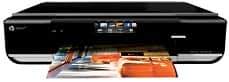
The HP Envy 114 product, with model number D411c, stands as an impressive member of the HP Envy 110 e-all-in-one series. Other similar members of the same family include the HP Envy 110, and HP Envy 111 models. The physical dimensions include a width of 16.75 inches, a depth of 12.75 inches, a height of 3.75 inches and a weight of 16 lbs. This device is capable of printing, scanning, copying and sending as well as receiving fax messages.HP ENVY 114 e-All-in-One ink cartridge.The HP60 Black Ink Cartridge is designed to produce around 200 pages, while the HP 60 Tri-color Ink Cartridge is capable of printing approximately 165 pages. These cartridges are essential for HP printers, especially those in the Americas and the Asia Pacific region (excluding China, Japan, and India). For those in Western Europe, the compatible cartridge model is the HP 300. Meanwhile, the HP 818 cartridge model is appropriate for printers in China and India. Lastly, for those in Africa, CIS, the Middle East, and Japan, the recommended cartridge model is the HP 121. It is important to note that using the appropriate cartridge model for your printer is crucial for optimal performance and print quality. Therefore, it is wise to consult with your printer manual or a professional to ensure that you are using the correct cartridge model for your specific printer.The HP ENVY 114 boasts impressive driver connectivity options, featuring a hi-speed 2.0 USB port at the rear, as well as a frontal USB 2.0 port. However, it's worth noting that the frontal USB port cannot be used for PictBridge cameras. In addition to its USB ports, the printer also utilizes a wireless component with 802.11b/g/n compatibility. This means that you can easily print from your mobile device or laptop without the need for any wires or cables. In terms of memory card compatibility, the HP ENVY 114 is quite versatile, supporting various types of memory cards such as MMC, SD Mini, SD Micro, xD slot, RS-MMC, SDHC, and many more. This makes it incredibly convenient for users who need to print photos or documents directly from their memory cards without having to transfer them to a computer first. Overall, the HP ENVY 114 is an excellent choice for those who require a printer with multiple connectivity options and memory card compatibility. Its wireless component and diverse range of memory card slots make it an incredibly versatile device that is ideal for both personal and professional use.
HP ENVY 114 Driver Downloads
| Driver | Operating System | Version | Size | Download |
|---|---|---|---|---|
| Full Feature Drivers Recommended | Windows 11Windows 10Windows 8.1Windows 8Windows 7Windows VistaWindows XP | — | 66.5 MB | Download |
| Basic Feature Driver | Windows 10Windows 8.1Windows 8Windows 7Windows VistaWindows XP | — | 24.7 MB | Download |
| Basic Feature Driver | Windows 11Windows 10Windows 8.1Windows 8Windows 7Windows Vista | — | 26.3 MB | Download |
| ePrint Software Network and Wireless Connected Printers | Windows 10Windows 8.1Windows 8Windows 7 | — | 26.2 MB | Download |
| ePrint Software Network and Wireless Connected Printers | Windows 10Windows 8.1Windows 8Windows 7 | — | 31.2 MB | Download |
| Full Feature Drivers | macOS | — | 121.2 MB | Download |
| Full Feature Drivers | macOS | — | 142.1 MB | Download |
| Full Feature Drivers | macOS | — | 128.7 MB | Download |
| ePrint Software Network and Wireless Connected Printers | macOS | — | 6.6 MB | Download |
How to Install the HP ENVY 114 Driver
- Click the recommended driver package above and save the file to your PC.
- Open the downloaded file and follow the on-screen HP installer.
- Connect the ENVY 114 by USB or network when prompted.
- Finish and print a test page to confirm the driver works.