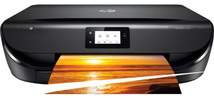
HP ENVY 5020 Driver Download
- 10 drivers
- Supports Windows 11
- Windows · macOS · Linux
- ✓ Safe & free
The device, HP ENVY 5020, is an all-in-one printer that can print, copy, and scan documents with high quality. The printer allows connectivity through either the USB 2.0 hi-speed port and the wireless connection option. The rate of sending or receiving fax messages for this machine is 56 kbps while the internal memory is 256 MB. The mobile printing options provide wireless direct and local WiFi connectivity with various solutions such as HP ePrint. Other mobile printing solutions include Apple AirPrint and Mopria certification and supports TCP/IP protocols.Replacing CartridgesFor Black InkIntroducing the HP 304 Cartridge, capable of producing up to 120 pages of outstanding print quality. But for those who demand more, the HP 304XL Cartridge is the solution - yielding up to 300 pages of crisp, vibrant prints. Experience the difference with HP's innovative technology and advanced ink formulations. Don't settle for anything less than exceptional results. Choose the HP 304 or 304XL Cartridge for all your printing needs.For Tri-color InkIntroducing the HP 304 Cartridge, designed to provide a paper yield of up to 100 pages. This top-of-the-line cartridge is perfect for individuals and businesses that require high-quality prints at an affordable price point. For those who demand even greater performance, we proudly present the Tri-color Ink HP 304XL Cartridge. Boasting a paper yield of up to 300 pages, this cartridge is engineered to deliver exceptional results and long-lasting performance. Whether you're printing important documents, high-resolution images, or intricate graphics, the HP 304 series of cartridges are the perfect solution to all your printing needs. So why settle for anything less? Choose HP and experience the difference today!.
HP ENVY 5020 Driver Downloads
| Driver | Operating System | Version | Size | Download |
|---|---|---|---|---|
| Full Feature Driver Recommended | Windows 11Windows 10Windows 8.1Windows 8Windows 7 | — | 133.9 MB | Download |
| Full Feature Driver | Windows 11Windows VistaWindows XP | — | 133.9 MB | Download |
| Basic Driver IT Professional Use only | Windows 10Windows 8.1Windows 8Windows 7Windows VistaWindows XP | — | 62.1 MB | Download |
| Basic | Windows 10Windows 8.1Windows 8Windows 7 | — | 66.8 MB | Download |
| Easy Start Printer Setup | Windows 11Windows 10 | — | 11.3 MB | Download |
| Easy Start Printer Setup | Windows 8.1Windows 8 | — | 11.3 MB | Download |
| Easy Start Printer Setup | Windows 7 | — | 11.3 MB | Download |
| HP Smart | macOS | — | 22.6 MB | Download |
| Easy Start Printer Setup | macOS | — | 9.1 MB | Download |
| hp helip installer 3.17.9.run | Windows | — | 22.8 MB | Download |
How to Install the HP ENVY 5020 Driver
- Click the recommended driver package above and save the file to your PC.
- Open the downloaded file and follow the on-screen HP installer.
- Connect the ENVY 5020 by USB or network when prompted.
- Finish and print a test page to confirm the driver works.