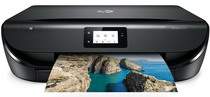
HP ENVY 5030 Driver Download
- 10 drivers
- Supports Windows 11
- Windows · macOS · Linux
- ✓ Safe & free
The HP ENVY 5030 printer model is an all-in-one model with an ability to print, copy, and scan documents. It produces incredible quality and at a reasonable speed while its unique product number is M2U92B. The product has a carton that contains the HP 304 black and tri-color original ink cartridges. The black cartridge can print up to 120 pages while the other cartridge can do up to 100 pages. The container also has an ink flier and a power cord for connection to the power source.Replacing CartridgesHP 304 Black Original Ink Advantage Cartridge (Paper yield ~120 pages)HP 304 Tri-colour Original Ink Advantage Cartridge (Paper yield ~100 pages)High Yield Black Original Ink Advantage HP 304XL Cartridge (Paper yield ~300 pages)High Yield Tri-colour Original Ink Advantage HP 304XL Cartridge (Paper yield ~300 pages).
HP ENVY 5030 Driver Downloads
| Driver | Operating System | Version | Size | Download |
|---|---|---|---|---|
| Full Feature Driver Recommended | Windows 11Windows 10Windows 8.1Windows 8Windows 7 | — | 133.9 MB | Download |
| Full Feature Driver | Windows 11Windows VistaWindows XP | — | 133.9 MB | Download |
| Basic Driver IT Professional Use only | Windows 10Windows 8.1Windows 8Windows 7Windows VistaWindows XP | — | 62.1 MB | Download |
| Basic | Windows 10Windows 8.1Windows 8Windows 7 | — | 66.8 MB | Download |
| Easy Start Printer Setup | Windows 11Windows 10 | — | 11.3 MB | Download |
| Easy Start Printer Setup | Windows 8.1Windows 8 | — | 11.3 MB | Download |
| Easy Start Printer Setup | Windows 7 | — | 11.3 MB | Download |
| HP Smart | macOS | — | 22.6 MB | Download |
| Easy Start Printer Setup | macOS | — | 9.1 MB | Download |
| hp helip installer 3.17.9.run | Windows | — | 22.8 MB | Download |
How to Install the HP ENVY 5030 Driver
- Click the recommended driver package above and save the file to your PC.
- Open the downloaded file and follow the on-screen HP installer.
- Connect the ENVY 5030 by USB or network when prompted.
- Finish and print a test page to confirm the driver works.