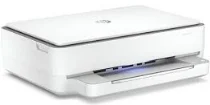
HP ENVY 6030 Driver Download
- 7 drivers
- Supports Windows 10
- Windows · macOS · Linux
- ✓ Safe & free
The HP ENVY 6030 is a top-of-the-line multifunctional printer that can handle all your printing, copying, and scanning needs. This printer is equipped with cutting-edge technology, including a hi-speed USB 2.0 port and Wi-Fi 802.11ac dual-band wireless connectivity, providing you with reliable and fast printing options. With the HP ENVY 6030, you can copy both color and monochrome documents with ease. It can also produce up to 9 copies from a single original document, making it perfect for large-scale projects. The zoom level of the machine ranges from 25 to 200% in a 1% gradual increment, ensuring that you get the perfect copy every time. Additionally, the HP ENVY 6030 supports Full Feature Driver for Windows, making it compatible with a wide range of devices. This printer is a game-changer for anyone who values efficiency and quality. Get your hands on the HP ENVY 6030 today and experience the ultimate printing experience!.
HP ENVY 6030 Driver Downloads
| Driver | Operating System | Version | Size | Download |
|---|---|---|---|---|
| Full Feature Driver Recommended | Windows 10Windows 8.1Windows 8Windows 7 | — | 192.3 MB | Download |
| Full feature Driver and Software–Offline Use Only | Windows 11Windows 10Windows 7 | — | — | Download |
| Universal Scan Full Feature Driver | Windows 11Windows 10Windows 8.1Windows 7 | — | 349.8 MB | Download |
| Universal Scan Basic Feature Driver | Windows 10Windows 8.1Windows 7 | — | 84.1 MB | Download |
| Universal Scan Basic Feature Driver | Windows 11Windows 10Windows 8.1Windows 7 | — | 104.8 MB | Download |
| Easy Start Printer Setup | Windows 11Windows 10Windows 8.1Windows 8Windows 7 | — | 11.4 MB | Download |
| Easy Start | macOS | — | 9.1 MB | Download |
How to Install the HP ENVY 6030 Driver
- Click the recommended driver package above and save the file to your PC.
- Open the downloaded file and follow the on-screen HP installer.
- Connect the ENVY 6030 by USB or network when prompted.
- Finish and print a test page to confirm the driver works.