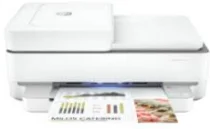
HP ENVY 6420e Driver Download
- 7 drivers
- Supports Windows
- Windows · macOS · Linux
- ✓ Safe & free
The HP ENVY 6420e printer is a versatile model that offers a range of functions, including printing, copying, and scanning. It boasts both a standard USB 2.0 port and a Wi-Fi 802.11 ac dual-band wireless component, making it easy to connect and use. When it comes to copying, the HP ENVY 6420e can reproduce both color and monochrome documents in up to 9 copies. It also offers a high-quality resolution of up to 300 x 300 dots per inch (dpi), ensuring that your copies look sharp and clear. To further customize your copies, the HP Smart app allows you to reduce or enlarge the output copy with ease. And if you're looking to save paper, the internal driver for automatic duplex printing ensures that you get the best possible quality while using the least amount of paper. Whether you're working on simple documents or complex presentations, the HP ENVY 6420e printer is a reliable and efficient choice for all your printing needs.
HP ENVY 6420e Driver Downloads
| Driver | Operating System | Version | Size | Download |
|---|---|---|---|---|
| Full Feature Recommended | Windows | — | 218.7 MB | Download |
| Full feature Driver and Software–Offline Use Only | Windows 11Windows 7 | — | — | Download |
| Universal Scan Full Feature Driver | Windows 11Windows 10Windows 8.1Windows 7 | — | 349.8 MB | Download |
| Universal Scan Basic Feature Driver | Windows 10Windows 8.1Windows 7 | — | 84.1 MB | Download |
| Universal Scan Basic Feature Driver | Windows 11Windows 10Windows 8.1Windows 7 | — | 104.8 MB | Download |
| Easy Start Printer Setup | Windows 11Windows 10Windows 8.1Windows 8Windows 7 | — | 11.4 MB | Download |
| Easy Start | macOS | — | 9.1 MB | Download |
How to Install the HP ENVY 6420e Driver
- Click the recommended driver package above and save the file to your PC.
- Open the downloaded file and follow the on-screen HP installer.
- Connect the ENVY 6420e by USB or network when prompted.
- Finish and print a test page to confirm the driver works.