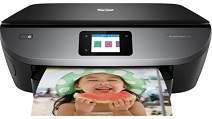
HP ENVY Photo 7100 Driver Download
- 8 drivers
- Supports Windows 11
- Windows · macOS · Linux
- ✓ Safe & free
The HP Envy Photo 7100 printer is an exceptional device that stands out from other printers due to its all-in-one features. It boasts a unique product number of Z3M41D, serving as an exclusive identifier within the family series. This printer offers connectivity through a standard USB 2.0 hi-speed port/client and a built-in dual-band Wi-Fi 802.11b/g/n component, making it effortless to print from various devices. Additionally, the printer provides memory card slots for storage or direct printing, with the Secure Digital Card being the compatible memory card type. With its outstanding features, the HP Envy Photo 7100 printer is perfect for those who need a reliable and versatile printing solution. So why settle for less when you can have it all with the HP Envy Photo 7100?Replacing CartridgesHP 303 Black Original Ink Advantage Cartridge, with a paper yield of approximately 120 pages, is the ideal choice for those seeking high-quality black ink for their printing needs. For those needing a tri-colour option, the HP 303 Tri-colour Original Ink Advantage Cartridge, with a paper yield of around 100 pages, provides vivid and accurate colours for all your printing projects. For those requiring a greater yield, the High Yield Black Original Ink Advantage HP 303XL Cartridge offers a paper yield of approximately 300 pages. This cartridge is perfect for those who need to print in high volumes without worrying about running out of ink. The High Yield Tri-colour Original Ink Advantage HP 303XL Cartridge is also available, providing the same high-quality and accurate colours as its non-high yield counterpart. No matter what your printing needs may be, HP has the perfect ink cartridge to suit your requirements. With high-quality ink and reliable performance, HP ink cartridges are the ideal choice for businesses and individuals alike. Trust in HP for all your printing needs.
HP ENVY Photo 7100 Driver Downloads
| Driver | Operating System | Version | Size | Download |
|---|---|---|---|---|
| Full Feature Driver Recommended | Windows 11Windows 10Windows 8.1Windows 8Windows 7Windows VistaWindows XP | — | 137.5 MB | Download |
| Basic Driver IT Professional Use only | Windows 10Windows 8.1Windows 8Windows 7Windows VistaWindows XP | — | 62.1 MB | Download |
| Basic Driver IT Professional Use only | Windows 11Windows 10Windows 8.1Windows 8Windows 7 | — | 70.5 MB | Download |
| Easy Start Printer Setup | Windows 11Windows 10 | — | 11.3 MB | Download |
| Easy Start Printer Setup | Windows 8.1Windows 8 | — | 11.3 MB | Download |
| Easy Start Printer Setup | Windows 7 | — | 11.3 MB | Download |
| HP Easy Start | macOS | — | 9.1 MB | Download |
| hp helip installer 3.18.9.run | Windows | — | 23.3 MB | Download |
How to Install the HP ENVY Photo 7100 Driver
- Click the recommended driver package above and save the file to your PC.
- Open the downloaded file and follow the on-screen HP installer.
- Connect the ENVY Photo 7100 by USB or network when prompted.
- Finish and print a test page to confirm the driver works.