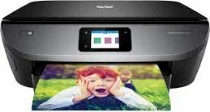
HP ENVY Photo 7158 Driver Download
- 5 drivers
- Supports Windows
- Windows · macOS · Linux
- ✓ Safe & free
The HP ENVY Photo 7158 printer model is a versatile machine that boasts an impressive range of features. Not only can it print, copy, scan, and send or receive fax messages, but it also contains an internal driver for superior performance with macOS and Windows OS versions. In addition, the HP ENVY Photo 7158 supports automated duplex printing and HP PCL 3 GUI print language, making it a top choice for professionals who demand high-quality prints and efficient operation. When you purchase the HP ENVY Photo 7158, you can expect to receive a comprehensive package of accessories and supplies. These include the HP 64 A Setup black and tri-color cartridges, as well as an ink caution flyer, power cord, USB cable, setup card, media pack, and starter guide. Overall, the HP ENVY Photo 7158 is an exceptional printer that delivers outstanding results and reliable performance, making it a smart investment for anyone who values quality and efficiency in their printing needs.
HP ENVY Photo 7158 Driver Downloads
| Driver | Operating System | Version | Size | Download |
|---|---|---|---|---|
| Full Feature Recommended | Windows | — | 136.5 MB | Download |
| Basic | Windows | — | 62.1 MB | Download |
| Basic | Windows | — | 70.6 MB | Download |
| Easy Start Printer Setup | Windows | — | 9.4 MB | Download |
| Easy Start | macOS | — | 9.1 MB | Download |
How to Install the HP ENVY Photo 7158 Driver
- Click the recommended driver package above and save the file to your PC.
- Open the downloaded file and follow the on-screen HP installer.
- Connect the ENVY Photo 7158 by USB or network when prompted.
- Finish and print a test page to confirm the driver works.