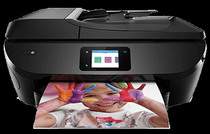
HP ENVY Photo 7800 Driver Download
- 9 drivers
- Supports Windows 11
- Windows · macOS · Linux
- ✓ Safe & free
The demand for large-scale printers requires durable and high-capacity devices that deliver optimal results. The HP ENVY Photo 7800, part of the popular ENVY series from HP, is the perfect solution for such requirements. This quality product produces high-quality documents at a reasonable speed. The HP ENVY Photo 7800 offers essential connectivity ports, including a built-in Ethernet LAN connector, a dual-band WiFi 802.11b/g/n, and a hi-speed USB port. These features ensure seamless connectivity and efficient data transfer. With its durable design and high-capacity capabilities, the HP ENVY Photo 7800 is the ideal choice for businesses and individuals alike. Its top-quality document production and speedy operation make it a reliable and efficient option for all your printing needs.HP ENVY Photo 7800 Printer Drivers.
HP ENVY Photo 7800 Driver Downloads
| Driver | Operating System | Version | Size | Download |
|---|---|---|---|---|
| Full Feature Driver Recommended | Windows 11Windows 10Windows 8.1Windows 8Windows 7Windows VistaWindows XP | — | 206.2 MB | Download |
| Basic Driver IT Professional Use only | Windows 10Windows 8.1Windows 8Windows 7Windows VistaWindows XP | — | 72 MB | Download |
| Basic Driver IT Professional Use only | Windows 11Windows 10Windows 8.1Windows 8Windows 7 | — | 79.1 MB | Download |
| Universal Fax | Windows 11Windows 10Windows 8.1Windows 7 | — | 16.7 MB | Download |
| Easy Start Printer Setup | Windows 11Windows 10 | — | 11.3 MB | Download |
| Easy Start Printer Setup | Windows 8.1Windows 8 | — | 11.3 MB | Download |
| Easy Start Printer Setup | Windows 7 | — | 11.3 MB | Download |
| HP Easy Start | macOS | — | 9.1 MB | Download |
| hp helip installer 3.17.9.run | Windows | — | 22.8 MB | Download |
How to Install the HP ENVY Photo 7800 Driver
- Click the recommended driver package above and save the file to your PC.
- Open the downloaded file and follow the on-screen HP installer.
- Connect the ENVY Photo 7800 by USB or network when prompted.
- Finish and print a test page to confirm the driver works.