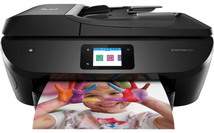
HP ENVY Photo 7820 Driver Download
- 9 drivers
- Supports Windows 11
- Windows · macOS · Linux
- ✓ Safe & free
Printing with the HP ENVY Photo 7820 model utilizes advanced HP thermal inkjet print technology, featuring convenient duplex printing capabilities to efficiently produce double-sided documents. As for speed, this high-quality printer boasts an impressive ISO mode that enables black printing at a swift 15 pages per minute (ppm), while color printing follows closely behind at 10 ppm. With a maximum optimized dpi resolution of 4800 x 1200, this powerful printer delivers stunningly vivid and precise color printing at its best mode.Replacing CartridgesHP 804 Black Ink Cartridge (paper yield ~ 200 pages)HP 804XL Black Ink Cartridge (paper yield ~ 600 pages)Tri-color Ink HP 804 Cartridge (paper yield ~ 165 pages)HP 804XL Tri-color Ink Cartridge (paper yield ~ 415 pages).
HP ENVY Photo 7820 Driver Downloads
| Driver | Operating System | Version | Size | Download |
|---|---|---|---|---|
| Full Feature Drivers Recommended | Windows 11Windows 10Windows 8.1Windows 8Windows 7Windows VistaWindows XP | — | 206.2 MB | Download |
| Basic Driver IT Professional Use only | Windows 10Windows 8.1Windows 8Windows 7Windows VistaWindows XP | — | 72 MB | Download |
| Basic Driver IT Professional Use only | Windows 11Windows 10Windows 8.1Windows 8Windows 7 | — | 79.1 MB | Download |
| Universal Fax | Windows 11Windows 10Windows 8.1Windows 7 | — | 16.7 MB | Download |
| Easy Start Printer Setup | Windows 11Windows 10 | — | 11.3 MB | Download |
| Easy Start Printer Setup | Windows 8.1Windows 8 | — | 11.3 MB | Download |
| Easy Start Printer Setup | Windows 7 | — | 11.3 MB | Download |
| Easy Start Printer Setup | macOS | — | 9.1 MB | Download |
| hp helip installer 3.17.9.run | Windows | — | 22.8 MB | Download |
How to Install the HP ENVY Photo 7820 Driver
- Click the recommended driver package above and save the file to your PC.
- Open the downloaded file and follow the on-screen HP installer.
- Connect the ENVY Photo 7820 by USB or network when prompted.
- Finish and print a test page to confirm the driver works.