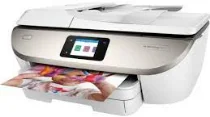
HP ENVY Photo 7822 Driver Download
- 8 drivers
- Supports Windows 11
- Windows · macOS · Linux
- ✓ Safe & free
The HP ENVY Photo 7822 printer model is part of the HP ENVY Photo 7800 printer series - a versatile range of multifunctional printers. This printer is equipped with a printer driver that is compatible with the HP PCL 3 GUI print language. This driver is essential for automatic duplex printing on both sides of the paper. With the ability to print, copy, scan, and fax documents, this category of printers is a one-stop-shop for all your document needs. Additionally, the HP ENVY Photo 7822 has an automatic document feeder (ADF) that can hold up to 35 sheets of plain paper. Investing in a printer like the HP ENVY Photo 7822 means you can streamline your workflow, saving you time and energy. Its multifunctional capabilities and efficient ADF make it a valuable asset for any office or home workspace.
HP ENVY Photo 7822 Driver Downloads
| Driver | Operating System | Version | Size | Download |
|---|---|---|---|---|
| Full Feature Driver Recommended | Windows 11Windows 10Windows 8.1Windows 8Windows 7Windows VistaWindows XP | — | 206.2 MB | Download |
| Basic Driver IT Professional Use only | Windows 10Windows 8.1Windows 8Windows 7Windows VistaWindows XP | — | 72 MB | Download |
| Basic Driver IT Professional Use only | Windows 11Windows 10Windows 8.1Windows 8Windows 7 | — | 79.1 MB | Download |
| Universal Fax | Windows 11Windows 10Windows 8.1Windows 7 | — | 16.7 MB | Download |
| Easy Start Printer Setup | Windows 11Windows 10 | — | 11.4 MB | Download |
| Easy Start Printer Setup | Windows 8.1Windows 8 | — | 11.4 MB | Download |
| Easy Start Printer Setup | Windows 7 | — | 11.4 MB | Download |
| Easy Start | macOS | — | 9.1 MB | Download |
How to Install the HP ENVY Photo 7822 Driver
- Click the recommended driver package above and save the file to your PC.
- Open the downloaded file and follow the on-screen HP installer.
- Connect the ENVY Photo 7822 by USB or network when prompted.
- Finish and print a test page to confirm the driver works.