HP ENVY Pro 6432 Driver Download
- 7 drivers
- Supports Windows 11
- Windows · macOS · Linux
- ✓ Safe & free
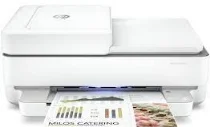
The HP ENVY Pro 6432 printer model is a versatile multifunction printer that belongs to the classic series. It boasts the capability to print, copy, and scan documents, making it an excellent choice for busy individuals and small offices. This printer uses standard laser print technology, which provides exceptional print quality and speed. It also comes with a pre-installed print driver that is compatible with both Windows and macOS operating systems. To ensure optimum print performance, the HP ENVY Pro 6432 is equipped with several compatible print cartridges, including the HP 305 setup black and tri-color cartridges. Additionally, it comes with a regulatory flyer that provides essential information about the printer's use and maintenance. Overall, the HP ENVY Pro 6432 printer model is an excellent choice for anyone looking for a reliable and efficient multifunction printer. Its high-quality print output, compatibility with various operating systems, and easy-to-use features make it a top choice for both personal and professional use.
HP ENVY Pro 6432 Driver Downloads
| Driver | Operating System | Version | Size | Download |
|---|---|---|---|---|
| Full Feature Driver Recommended | Windows 11Windows 10Windows 7 | — | 195.3 MB | Download |
| Full Feature Driver | Windows 10Windows 8.1Windows 8Windows 7 | — | 192.3 MB | Download |
| Universal Scan Full Feature Driver | Windows 11Windows 10Windows 8.1Windows 7 | — | 349.8 MB | Download |
| Universal Scan Basic Feature Driver | Windows 10Windows 8.1Windows 7 | — | 84.1 MB | Download |
| Universal Scan Basic Feature Driver | Windows 11Windows 10Windows 8.1Windows 7 | — | 104.8 MB | Download |
| Easy Start Printer Setup | Windows 11Windows 10Windows 8.1Windows 8Windows 7 | — | 11.4 MB | Download |
| Easy Start | macOS | — | 9.1 MB | Download |
How to Install the HP ENVY Pro 6432 Driver
- Click the recommended driver package above and save the file to your PC.
- Open the downloaded file and follow the on-screen HP installer.
- Connect the ENVY Pro 6432 by USB or network when prompted.
- Finish and print a test page to confirm the driver works.