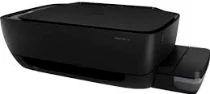
HP Ink Tank 318 Driver Download
- 3 drivers
- Supports Windows
- Windows · macOS · Linux
- ✓ Safe & free
The HP Ink Tank 318 printer model boasts manual driver support for its duplex function. This feature is compatible with a variety of operating system versions, such as MS Windows and macOS. For MS Windows, the printer supports versions 10, 8.1, 8, 7, Vista, and XP. Meanwhile, the macOS software it supports include X v10.10 Yosemite, X v10.11 El Capitan, and macOS Sierra v10.12. In addition to its impressive functionality, this machine also comes with a one-year limited hardware warranty. This ensures that customers can always rely on the printer to deliver high-quality results without having to worry about hardware malfunctions. Overall, the HP Ink Tank 318 printer model is a top-of-the-line device that combines cutting-edge technology with user-friendly features. Whether you're using it for personal or professional use, this printer is sure to impress.
HP Ink Tank 318 Driver Downloads
| Driver | Operating System | Version | Size | Download |
|---|---|---|---|---|
| Full Feature Recommended | Windows | — | 124.6 MB | Download |
| Easy Start Printer Setup | Windows | — | 9.4 MB | Download |
| Easy Start | macOS | — | 9.1 MB | Download |
How to Install the HP Ink Tank 318 Driver
- Click the recommended driver package above and save the file to your PC.
- Open the downloaded file and follow the on-screen HP installer.
- Connect the Ink Tank 318 by USB or network when prompted.
- Finish and print a test page to confirm the driver works.