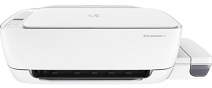
HP Ink Tank Wireless 415 Driver Download
- 8 drivers
- Supports Windows 11
- Windows · macOS · Linux
- ✓ Safe & free
The Z4B53A is the product number of the exceptional HP Ink Tank Wireless 415 printer. This printer package comes equipped with an HP GT51 Black ink bottle boasting a voluminous 90 cc and an impressive print capacity of 5000 pages. In addition, the package also includes HP GT52 cyan, yellow, and magenta, each with a generous 70 cc volume and the ability to print up to 8000 pages. To facilitate easy setup, the package also contains a software CD, setup poster, power cord, and standard USB cable.HP Ink Tank Wireless 415 Replacement cartridgesThe HP GT51 Bottle in black original ink is capable of producing up to 5,000 pages, while the HP GT51XL Bottle in black original ink can yield up to 6,000 pages. For your color printing needs, the Cyan Original Ink HP GT52 Bottle, the Magenta Original Ink HP GT52 Bottle, and the Yellow Original Ink HP GT52 Bottle can all produce up to 8,000 pages each. If you require black ink, the HP 30 Bottle in black original ink can yield up to 6,000 pages. For colors, the Cyan Original Ink HP 31 Bottle, the Magenta Original Ink HP 31 Bottle, and the Yellow Original Ink HP 31 Bottle can all produce up to 8,000 pages. These ink bottles are all designed for use with HP printers and are sure to provide high-quality and long-lasting prints.
HP Ink Tank Wireless 415 Driver Downloads
| Driver | Operating System | Version | Size | Download |
|---|---|---|---|---|
| Full Software Solution Recommended | Windows 11Windows 10Windows 8.1Windows 8Windows 7Windows VistaWindows XP | — | 132.8 MB | Download |
| Basic Software Solution | Windows 10Windows 8.1Windows 8Windows 7Windows VistaWindows XP | — | 60.6 MB | Download |
| Basic Software Solution | Windows 10Windows 8.1Windows 8Windows 7 | — | 65.9 MB | Download |
| Easy Start Printer Setup | Windows 11Windows 10 | — | 11.3 MB | Download |
| Easy Start Printer Setup | Windows 8.1Windows 8 | — | 11.3 MB | Download |
| Easy Start Printer Setup | Windows 7 | — | 11.3 MB | Download |
| HP Easy Start | macOS | — | 9.1 MB | Download |
| hp helip installer 3.18.7.run | Windows | — | 23.2 MB | Download |
How to Install the HP Ink Tank Wireless 415 Driver
- Click the recommended driver package above and save the file to your PC.
- Open the downloaded file and follow the on-screen HP installer.
- Connect the Ink Tank Wireless 415 by USB or network when prompted.
- Finish and print a test page to confirm the driver works.