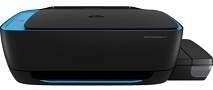
HP Ink Tank Wireless 419 Driver Download
- 7 drivers
- Supports Windows 11
- Windows · macOS · Linux
- ✓ Safe & free
The Z6Z97A printer is specifically designed for high capacity printing in both home and office settings. This printer comes with a unique product number that sets it apart from other similar devices. When you purchase this printer, you'll receive the printer itself, as well as two HP GT51 black ink bottles of 90CC volume. With this cartridge, you can print up to 5000 pages of paper, making it a cost-effective choice for those who print frequently. Additionally, the printer comes with cyan, magenta, and yellow cartridges, each with a 70CC volume and an impressive capacity of 8000 pages. This means that you can rely on this printer for high-volume printing without having to constantly replace cartridges. Investing in the Z6Z97A printer is a smart choice for those in need of a reliable and efficient printer for their printing needs.HP Ink Tank Wireless 419 Replacement cartridgesIntroducing our range of Original Ink HP Bottles, available in a variety of colors and page yields. Our Black Original Ink HP GT51 Bottle offers up to 5,000 pages of high-quality printing, while the Black Original Ink HP GT51XL Bottle offers even more – up to 6,000 pages. For vibrant colors, our Cyan Original Ink HP GT52 Bottle, Magenta Original Ink HP GT52 Bottle, and Yellow Original Ink HP GT52 Bottle offer up to 8,000 pages each. Looking for a different type of HP ink bottle? Our Black Original Ink HP 30 Bottle provides up to 6,000 pages of crisp, clear text. For colorful projects, our Cyan Original Ink HP 31 Bottle, Magenta Original Ink HP 31 Bottle, and Yellow Original Ink HP 31 Bottle offer up to 8,000 pages each. No matter what your printing needs are, our Original Ink HP Bottles are designed to provide exceptional quality and longevity. So why wait? Order yours today and experience the difference for yourself!.
HP Ink Tank Wireless 419 Driver Downloads
| Driver | Operating System | Version | Size | Download |
|---|---|---|---|---|
| Full Software Solution Recommended | Windows 11Windows 10Windows 8.1Windows 8Windows 7Windows VistaWindows XP | — | 132.8 MB | Download |
| Basic Software Solution | Windows 10Windows 8.1Windows 8Windows 7Windows VistaWindows XP | — | 60.6 MB | Download |
| Basic Software Solution | Windows 10Windows 8.1Windows 8Windows 7 | — | 65.9 MB | Download |
| Easy Start Printer Setup | Windows 11Windows 10 | — | 11.3 MB | Download |
| Easy Start Printer Setup | Windows 8.1Windows 8 | — | 11.3 MB | Download |
| Easy Start Printer Setup | Windows 7 | — | 11.3 MB | Download |
| HP Easy Start | macOS | — | 9.1 MB | Download |
How to Install the HP Ink Tank Wireless 419 Driver
- Click the recommended driver package above and save the file to your PC.
- Open the downloaded file and follow the on-screen HP installer.
- Connect the Ink Tank Wireless 419 by USB or network when prompted.
- Finish and print a test page to confirm the driver works.