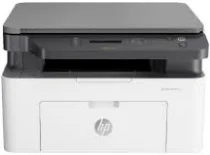
HP Laser MFP 131a Driver Download
- 5 drivers
- Supports Windows
- Windows · macOS · Linux
- ✓ Safe & free
The HP Laser MFP 131a printer model is a versatile device that excels in printing, copying, and scanning tasks, delivering exceptional quality and speed. What's more, this multifunction printer comes equipped with a manual driver that supports manual duplex print options, giving you greater control over your workflow. The HP Laser MFP 131a utilizes advanced laser print technology that is compatible with a variety of operating system versions, ensuring seamless integration into your existing setup. With a black document print speed of 20 pages per minute (ppm) when using A4 paper and running at the standard rate, this printer is designed to keep up with your busy office demands. If you're looking for a high-performance multifunction printer that can handle a range of tasks with ease, look no further than the HP Laser MFP 131a. With its exceptional quality, speed, and versatility, it's the perfect choice for any modern office environment.
HP Laser MFP 131a Driver Downloads
| Driver | Operating System | Version | Size | Download |
|---|---|---|---|---|
| Full Feature Recommended | Windows | — | 86.1 MB | Download |
| Basic Print and Scan | Windows | — | 30.2 MB | Download |
| Basic Print and Scan | Windows | — | 10.3 MB | Download |
| Critical Software Update | Windows | — | 184 KB | Download |
| Linux | — | 11 MB | Download |
How to Install the HP Laser MFP 131a Driver
- Click the recommended driver package above and save the file to your PC.
- Open the downloaded file and follow the on-screen HP installer.
- Connect the Laser MFP 131a by USB or network when prompted.
- Finish and print a test page to confirm the driver works.