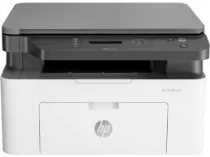
HP Laser MFP 135a Driver Download
- 5 drivers
- Supports Windows 11
- Windows · macOS · Linux
- ✓ Safe & free
The HP Laser MFP 135a is a top-tier multifunction printer from the HP Laser MFP 135a printer series. This cutting-edge machine boasts unparalleled printing, copying, and scanning capabilities, enabling users to produce professional-quality documents with ease. One of the standout features of the HP Laser MFP 135a is its internally built driver. This driver allows the printer to support a range of unique features and technologies, including laser printing and a hi-speed USB 2.0 port for seamless connectivity. When it comes to copying, the HP Laser MFP 135a offers a range of flexible settings to suit your needs. These include options for multiple copies, original size, darkness, enlarge/reduce, paper type, and much more. With these advanced settings at your fingertips, you can produce high-quality copies that meet your exact specifications. Overall, the HP Laser MFP 135a is a must-have for anyone seeking a versatile, reliable, and high-performance multifunction printer. Whether you're a busy office worker or a home-based entrepreneur, this machine is sure to exceed your expectations and help you achieve your goals.
HP Laser MFP 135a Driver Downloads
| Driver | Operating System | Version | Size | Download |
|---|---|---|---|---|
| Full Feature Driver Recommended | Windows 11Windows 10Windows 8.1Windows 8Windows 7 | — | 86.2 MB | Download |
| Print and Scan | Windows 11Windows 10Windows 8.1Windows 8Windows 7 | — | 30.3 MB | Download |
| Print Driver No Installer | Windows 11Windows 10Windows 8.1Windows 8Windows 7 | — | 10.3 MB | Download |
| Critical Software Update | Windows 10Windows 8.1Windows 8Windows 7 | — | 184 KB | Download |
| Print and Scan | Linux | — | 11 MB | Download |
How to Install the HP Laser MFP 135a Driver
- Click the recommended driver package above and save the file to your PC.
- Open the downloaded file and follow the on-screen HP installer.
- Connect the Laser MFP 135a by USB or network when prompted.
- Finish and print a test page to confirm the driver works.