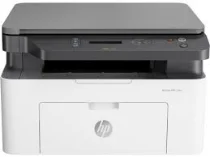
HP Laser MFP 136nw Driver Download
- 5 drivers
- Supports Windows 11
- Windows · macOS · Linux
- ✓ Safe & free
The HP Laser MFP 136nw printer is a prime example of the innovative products available in the LaserJet printer category. With its versatile functions, including scanning, printing, and copying, it's an excellent option for home use. This machine boasts multiple connectivity options, including a hi-speed USB 2.0 port, a fast Ethernet 10/100Base-Tx network port, and a wireless 802.11b/g/n component. Additionally, it supports mobile printing capabilities such as Google Cloud Print, Apple AirPrint, and Wi-Fi Direct Printing, making it easy to print from your smartphone or tablet. The HP Laser MFP 136nw driver is compatible with both Windows and Linux operating systems, providing users with a seamless printing experience. Whether you're printing documents or photos, this printer is sure to deliver high-quality results every time.
HP Laser MFP 136nw Driver Downloads
| Driver | Operating System | Version | Size | Download |
|---|---|---|---|---|
| Full Feature Driver Recommended | Windows 11Windows 10Windows 8.1Windows 8Windows 7 | — | 86.2 MB | Download |
| Print and Scan | Windows 11Windows 10Windows 8.1Windows 8Windows 7 | — | 30.3 MB | Download |
| Print Driver No Installer | Windows 11Windows 10Windows 8.1Windows 8Windows 7 | — | 10.3 MB | Download |
| Critical Software Update | Windows 10Windows 8.1Windows 8Windows 7 | — | 184 KB | Download |
| Print and Scan | Linux | — | 11 MB | Download |
How to Install the HP Laser MFP 136nw Driver
- Click the recommended driver package above and save the file to your PC.
- Open the downloaded file and follow the on-screen HP installer.
- Connect the Laser MFP 136nw by USB or network when prompted.
- Finish and print a test page to confirm the driver works.