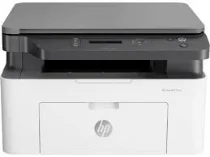
HP Laser MFP 136w Driver Download
- 5 drivers
- Supports Windows 11
- Windows · macOS · Linux
- ✓ Safe & free
Upon purchasing the HP Laser MFP 136w printer model, users will immediately appreciate its compact size and multifaceted capabilities. This printer boasts the ability to print, copy, and scan documents with ease. Additionally, it supports manual duplex printing for double-sided pages, making it an efficient option for any printing needs. Users can choose from a variety of compatible operating systems, including Windows and macOS versions. The HP Laser MFP 136w printer model is capable of printing up to 20 pages per minute (ppm) for black documents, making it a speedy option for those in need of quick printing. For those looking for a full-feature driver, the HP Laser MFP 136w driver comes in at a size of 86.11 MB. With its portability and versatility, this printer is an excellent choice for any professional looking for a reliable and efficient printing option.
HP Laser MFP 136w Driver Downloads
| Driver | Operating System | Version | Size | Download |
|---|---|---|---|---|
| Full Feature Driver Recommended | Windows 11Windows 10Windows 8.1Windows 8Windows 7 | — | 86.2 MB | Download |
| Print and Scan | Windows 11Windows 10Windows 8.1Windows 8Windows 7 | — | 30.3 MB | Download |
| Print Driver No Installer | Windows 11Windows 10Windows 8.1Windows 8Windows 7 | — | 10.3 MB | Download |
| Critical Software Update | Windows 10Windows 8.1Windows 8Windows 7 | — | 184 KB | Download |
| Print and Scan | Linux | — | 11 MB | Download |
How to Install the HP Laser MFP 136w Driver
- Click the recommended driver package above and save the file to your PC.
- Open the downloaded file and follow the on-screen HP installer.
- Connect the Laser MFP 136w by USB or network when prompted.
- Finish and print a test page to confirm the driver works.