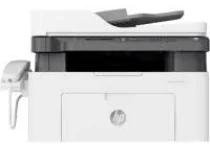
HP Laser MFP 138pn Driver Download
- 5 drivers
- Supports Windows 11
- Windows · macOS · Linux
- ✓ Safe & free
The HP Laser MFP 138pn is part of the HP Laser MFP 138 series, a versatile printer that offers printing, scanning, copying, and faxing capabilities. Powered by a 600 MHz processor and equipped with 128 MB of internal memory, this machine is designed to handle even the most demanding tasks with ease. Featuring a 2-line LCD display and 30 buttons, the HP Laser MFP 138pn is easy to operate and navigate. It also comes with an internal print driver, ensuring optimal performance for all its functions. Whether you need to print high-quality documents, scan and digitize important records, make copies of important paperwork, or send and receive faxes, the HP Laser MFP 138pn is up to the task. Its advanced features and cutting-edge technology make it a must-have for any busy office or home environment. So if you're looking for a reliable, high-performance multifunction printer, look no further than the HP Laser MFP 138pn. With its superior performance and versatile capabilities, it's sure to meet all your printing needs and exceed your expectations.
HP Laser MFP 138pn Driver Downloads
| Driver | Operating System | Version | Size | Download |
|---|---|---|---|---|
| Full Feature Drivers Recommended | Windows 11Windows 10Windows 8.1Windows 8Windows 7 | — | 86.2 MB | Download |
| Print and Scan | Windows 11Windows 10Windows 8.1Windows 8Windows 7 | — | 30.3 MB | Download |
| Print Driver No Installer | Windows 11Windows 10Windows 8.1Windows 8Windows 7 | — | 10.3 MB | Download |
| Critical Software Update | Windows 10Windows 8.1Windows 8Windows 7 | — | 184 KB | Download |
| Print and Scan | Linux | — | 11 MB | Download |
How to Install the HP Laser MFP 138pn Driver
- Click the recommended driver package above and save the file to your PC.
- Open the downloaded file and follow the on-screen HP installer.
- Connect the Laser MFP 138pn by USB or network when prompted.
- Finish and print a test page to confirm the driver works.