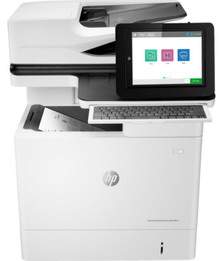
HP LaserJet Enterprise Flow MFP M631h Driver Download
- 21 drivers
- Supports Windows 11
- Windows · macOS · Linux
- ✓ Safe & free
This printer model is a versatile device that provides exceptional quality prints, copies, and scans. With a speed of 52 ppm, this printer can print both black and color documents in normal mode. Impressively, the first page can be printed in as little as 7.9 seconds after the command is given, even when the printer is in sleep mode. What's more, this printer's current method allows the first-page black printing to be produced in just 5.4 seconds, which is remarkably fast. With this kind of speed and efficiency, this printer can handle even the busiest of workloads without compromising on quality. Investing in this multifunction printer would be a wise decision for any business that requires high-quality printing, copying, and scanning capabilities. Its exceptional speed and performance make it a valuable addition to any office, ensuring that your documents are produced quickly and with outstanding results.
HP LaserJet Enterprise Flow MFP M631h Driver Downloads
| Driver | Operating System | Version | Size | Download |
|---|---|---|---|---|
| Full Software Solution Recommended | Windows 11Windows 10Windows 8.1Windows 8Windows 7Windows VistaWindows XP | — | 163.6 MB | Download |
| PCL 6 V3 Printer Driver no installer | Windows 11Windows 10Windows 8.1Windows 8Windows 7 | — | 13.6 MB | Download |
| PCL 6 V4 Printer Driver no installer | Windows 11Windows 10Windows 8.1 | — | 9.5 MB | Download |
| MFP Network Twain Scan Package | Windows 8.1Windows 8Windows 7 | — | 14.8 MB | Download |
| Universal Fax | Windows 11Windows 10Windows 8.1Windows 7 | — | 16.7 MB | Download |
| Universal Fax | Windows 11Windows 10Windows 8.1Windows 7 | — | 8.9 MB | Download |
| PCL6 Universal Print | Windows 11Windows 10Windows 8.1Windows 8Windows 7 | — | 18.3 MB | Download |
| PCL6 Universal Print | Windows 11Windows 10Windows 8.1Windows 8Windows 7 | — | 20.7 MB | Download |
| PostScript Universal Print | Windows 11Windows 10Windows 8.1Windows 8Windows 7 | — | 19.5 MB | Download |
| PostScript Universal Print | Windows 11Windows 10Windows 8.1Windows 8Windows 7 | — | 21.8 MB | Download |
| USB Connected PCL6 Universal Print | Windows 11Windows 10Windows 8.1Windows 8Windows 7 | — | 18.4 MB | Download |
| USB Connected PCL6 Universal Print | Windows 11Windows 10Windows 8.1Windows 8Windows 7 | — | 20.7 MB | Download |
| USB Connected PostScript Universal Print | Windows 11Windows 10Windows 8.1Windows 8Windows 7 | — | 19.6 MB | Download |
| USB Connected PostScript Universal Print | Windows 11Windows 10Windows 8.1Windows 8Windows 7 | — | 21.9 MB | Download |
| Universal Scan Full Feature Driver | Windows 11Windows 10Windows 8.1Windows 7 | — | 349.8 MB | Download |
| Universal Scan Basic Feature Driver | Windows 10Windows 8.1Windows 7 | — | 84.1 MB | Download |
| Universal Scan Basic Feature Driver | Windows 11Windows 10Windows 8.1Windows 7 | — | 104.8 MB | Download |
| Easy Start Printer Setup | Windows 11Windows 10 | — | 11.3 MB | Download |
| Easy Start Printer Setup | Windows 8.1Windows 8 | — | 11.3 MB | Download |
| Easy Start Printer Setup | Windows 7 | — | 11.3 MB | Download |
| Easy Start Printer Setup | macOS | — | 9.1 MB | Download |
How to Install the HP LaserJet Enterprise Flow MFP M631h Driver
- Click the recommended driver package above and save the file to your PC.
- Open the downloaded file and follow the on-screen HP installer.
- Connect the LaserJet Enterprise Flow MFP M631h by USB or network when prompted.
- Finish and print a test page to confirm the driver works.