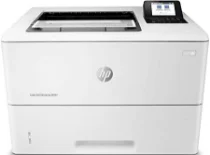
HP LaserJet Enterprise M406dn Driver Download
- 13 drivers
- Supports Windows
- Windows · macOS · Linux
- ✓ Safe & free
The HP LaserJet Enterprise M406dn printer is fully compatible with the Discrete PCL 6 printer driver, making it a reliable choice for businesses of all sizes. This printer is also designed to work seamlessly with Windows Client OS, including Windows 10, Windows 8.1, and Windows 7 Ultimate. But that's not all - this printer can also be used with a variety of mobile operating systems, including iOS and Android. This makes it easy to print from your smartphone or tablet, no matter where you are. For Mac users, the HP LaserJet Enterprise M406dn printer is compatible with Mac OS High Sierra v10.13, Mojave v10.14, and Catalina v10.15. And if you need additional printer drivers, the device also supports the UPD PCL 6 / PS printer drivers. Overall, the HP LaserJet Enterprise M406dn printer is a versatile and reliable choice for any business looking for a high-quality printing solution. With its wide range of compatibility options, you can rest assured that this printer will work seamlessly with your existing systems and devices.
HP LaserJet Enterprise M406dn Driver Downloads
| Driver | Operating System | Version | Size | Download |
|---|---|---|---|---|
| Full Feature Recommended | Windows | — | 78 MB | Download |
| Easy Start Printer Setup | Windows | — | 9.4 MB | Download |
| Basic PCL 6 V3 Printer | Windows | — | 14.8 MB | Download |
| Basic PCL 6 V4 Printer | Windows | — | 11.5 MB | Download |
| Universal Print | Windows | — | 17.2 MB | Download |
| Universal Print | Windows | — | 19.3 MB | Download |
| Universal Print | Windows | — | 18.4 MB | Download |
| Universal Print | Windows | — | 20.4 MB | Download |
| Universal Print | Windows | — | 17.3 MB | Download |
| Universal Print | Windows | — | 19.3 MB | Download |
| Universal Print | Windows | — | 18.5 MB | Download |
| Universal Print | Windows | — | 20.5 MB | Download |
| Easy Start | macOS | — | 9.1 MB | Download |
How to Install the HP LaserJet Enterprise M406dn Driver
- Click the recommended driver package above and save the file to your PC.
- Open the downloaded file and follow the on-screen HP installer.
- Connect the LaserJet Enterprise M406dn by USB or network when prompted.
- Finish and print a test page to confirm the driver works.